FLUX Kontext: AI Image Editing with Text Prompts in 2025
In 2025, a new breakthrough in AI image editing technology is ushered in with the launch of FLUX.1 Kontext by Black Forest Laboratories (BFL). This model fuses image generation and editing functions into a single, streamlined process driven by natural language. No longer bound by traditional tools or step-by-step workflows, users can create, optimize, and transform visuals by simply describing what they want to see.
With its chat-like interface and powerful context-aware AI, FLUX Kontext understands both your visual inputs and text prompts. Want to learn more? Read on to discover what FLUX Kontext is, how it works, and how it’s transforming image editing with text prompts.
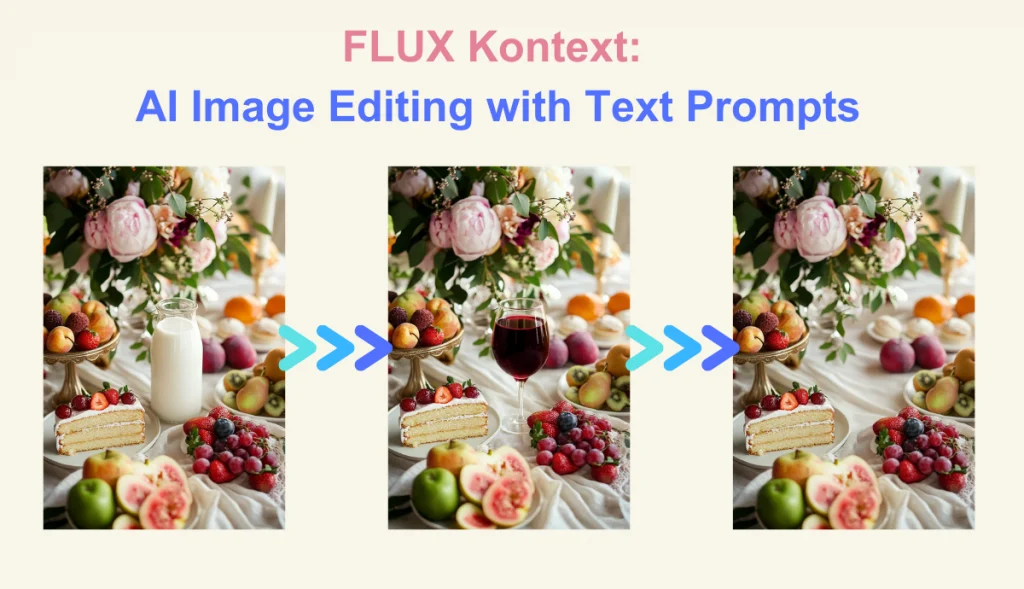
What Is FLUX Kontext?
FLUX Kontext is a new generation AI image editing model based on natural language commands. Instead of detailing all the effects you want, you just tell the AI what to change. FLUX Kontext intelligently preserves the core elements of the original image, ensuring a smooth and precise editing process.
Whether you’re fine-tuning details, changing styles, or completely reshaping a scene, this command-driven AI tool delivers consistently high-quality image editing with simple text prompts. As a powerful AI image editor with prompt free, it is perfect for designers, marketers, and creators seeking professional-grade precision and creative control.
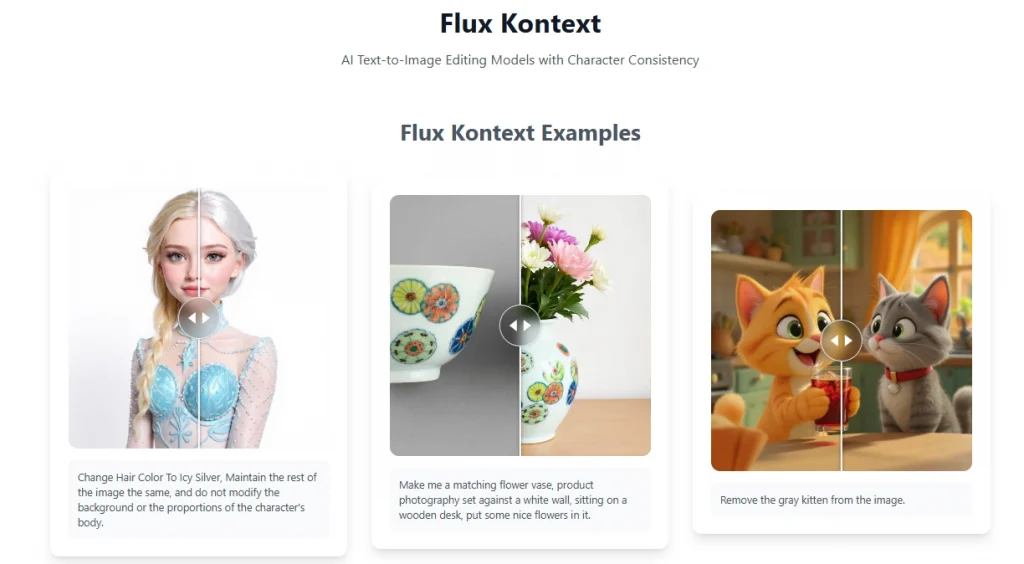
FLUX Kontext Model Overview:
- Flux Kontext Dev: Open-source and great for developers and experimentation.
- Flux Kontext Pro: Designed for professionals seeking top-tier editing precision.
- Flux Kontext Max: Tuned for maximum performance and typographic control.
What Makes FLUX.1 Kontext a Breakthrough in AI Image Editing?
FLUX.1 Kontext takes the AI image editor to a new level, making the editing process smarter, faster, and more intuitive. Designed to understand and respond to natural language, it enables users to guide AI image editing with simple, conversational text prompts that require no design skills or specialized terminology.
Understand Natural Language
FLUX.1 Kontext allows you to edit images by simply describing the intent. Just type in commands such as “add sunset” or “remove object” and the AI instantly understands and executes your request. No technical skills are required, just natural, everyday language to bring your visual ideas to life.
Maintain Visual Integrity
FLUX.1 Kontext only modifies what you instruct it to, without affecting backgrounds, proportions, or character features. This ensures that your edits look smooth and professional and retain the original structure and visual consistency of the entire image without distortion or unnecessary changes.
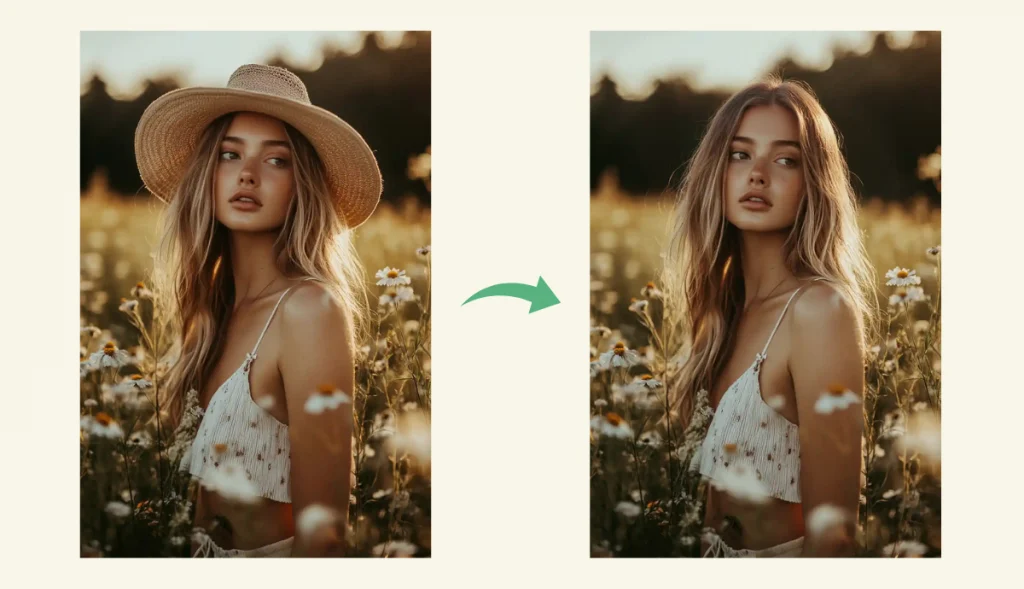
Support Multi-Image Editing
Whether you’re combining photos, switching styles or ensuring character consistency, FLUX.1 Kontext makes it simple. It supports multiple input images and batch photo editing, allowing complex compositional and layering edits – all driven by natural text commands.
Redefine Image Editing
FLUX.1 Kontext responds to direct, detailed prompts, enabling contextual editing that matches your exact vision. Whether you’re adjusting lighting or changing colors, this command-based approach puts you in control of your creativity while eliminating the guesswork that’s common in traditional editing tools.
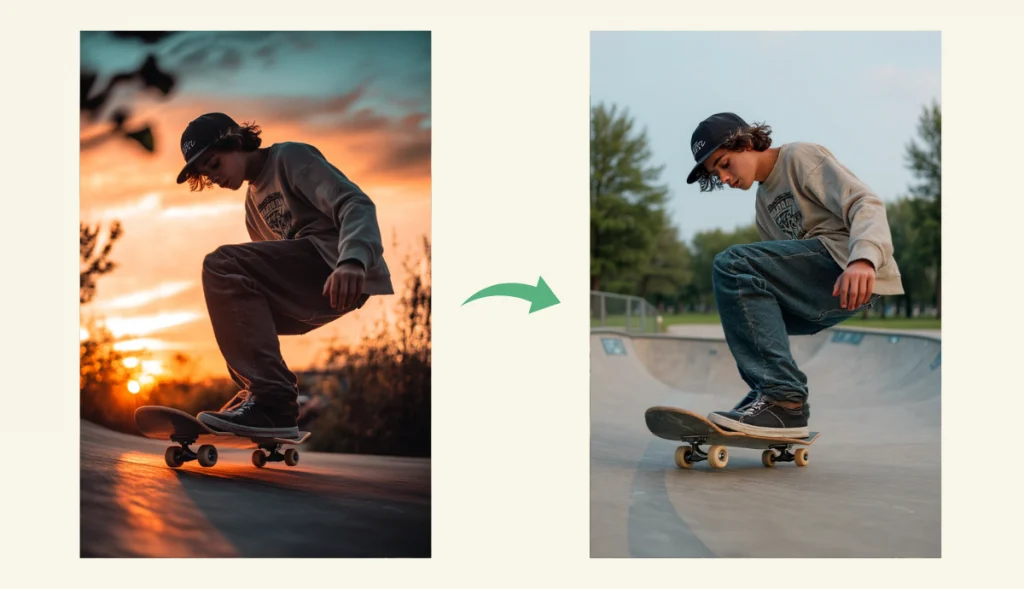
Edit Image with Text Prompt – AI Ease (Powered by FLUX Kontext)
AI Ease, powered by FLUX Kontext, helps you edit image with text prompt. Whether you’re removing objects, switching backgrounds, or reshaping an entire scene, AI Ease is not just an AI image editor photo editor, it’s your smart creative partner.
Highlights of AI Ease: FLUX Kontext Image Editor
- Understands Natural Language: Edit images using clear and easy-to-understand conversational text without complex commands or technical skills.
- Command-Driven Editing: Instead of detailed descriptions, simply tell AI what to do. It responds to direct commands for faster, more accurate editing.
- Preserves Visual Integrity: Edits are applied only to the areas you mention – everything else in the image remains the same, maintaining overall consistency and quality.
- Supports Multi-Image Editing: Whether you’re editing a single photo or blending multiple images, AI Ease handles everything from subtle editing to advanced visual creation.
How to improve AI image editing results? From removing watermarks and changing backgrounds to switching hairstyles and more, each feature is designed to simplify complex editing operations in just a few words. Let’s explore AI Ease’s key features:
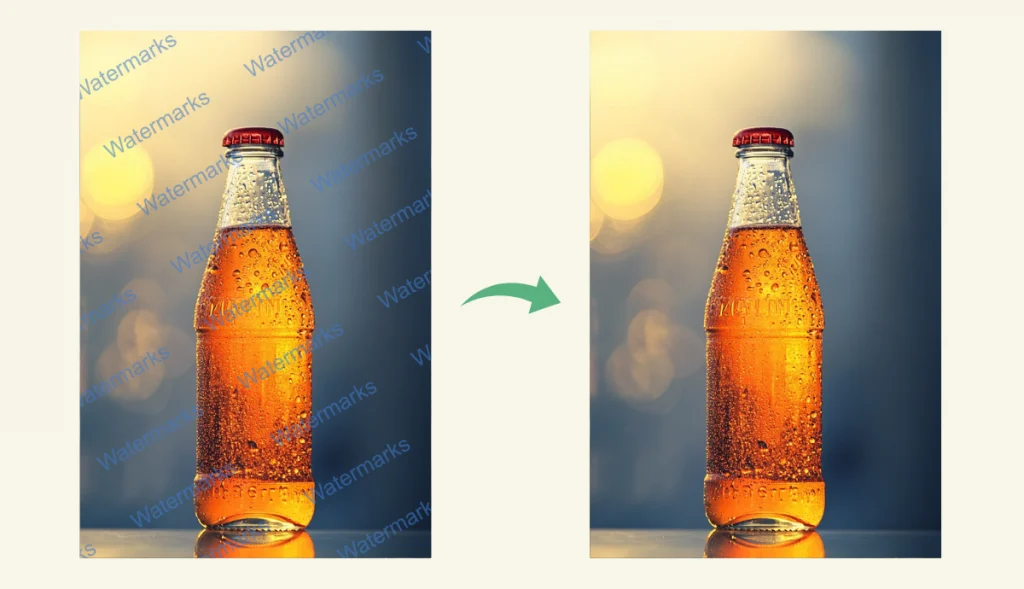
#1. Remove Watermark from Image
Easily remove image watermarks in seconds with AI Ease’s AI watermark remover. Simply upload a photo, and our watermark removal tool, powered by FLUX Kontext, intelligently detects and erases watermarks or logos while maintaining image quality.
Prompt: “Remove watermarks from the image of a water-filled glass bottle.”
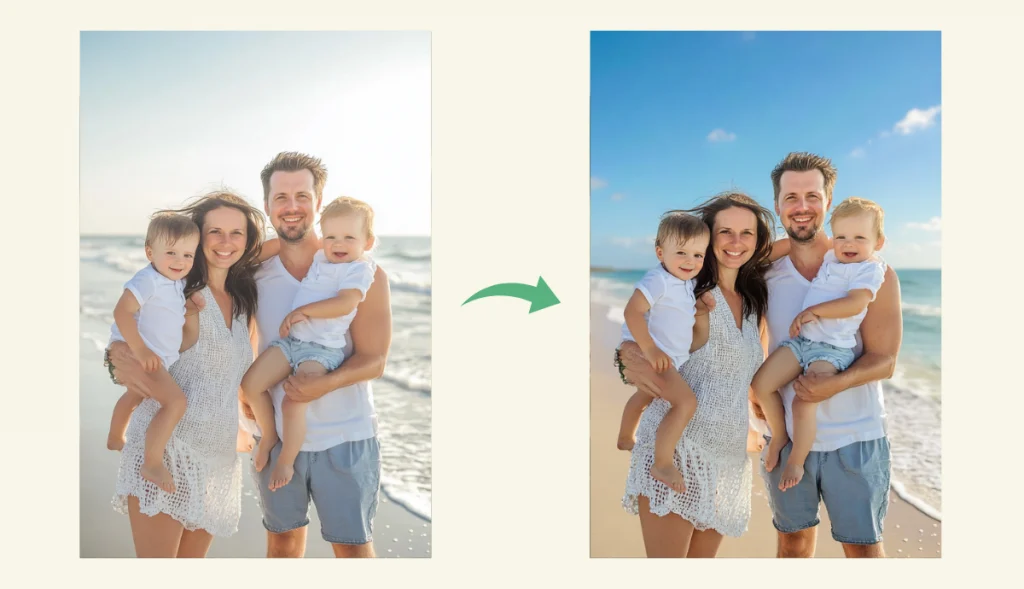
#2. Change Background
Quickly replace the background of any photo by simply describing what you want to see. Whether it’s a solid color, a scenic landscape, or a themed setting, AI Ease’s free background changer utilizes advanced context recognition to blend your subject into a new environment.
Prompt: “Change the grey sky to a blue sky with clouds.”
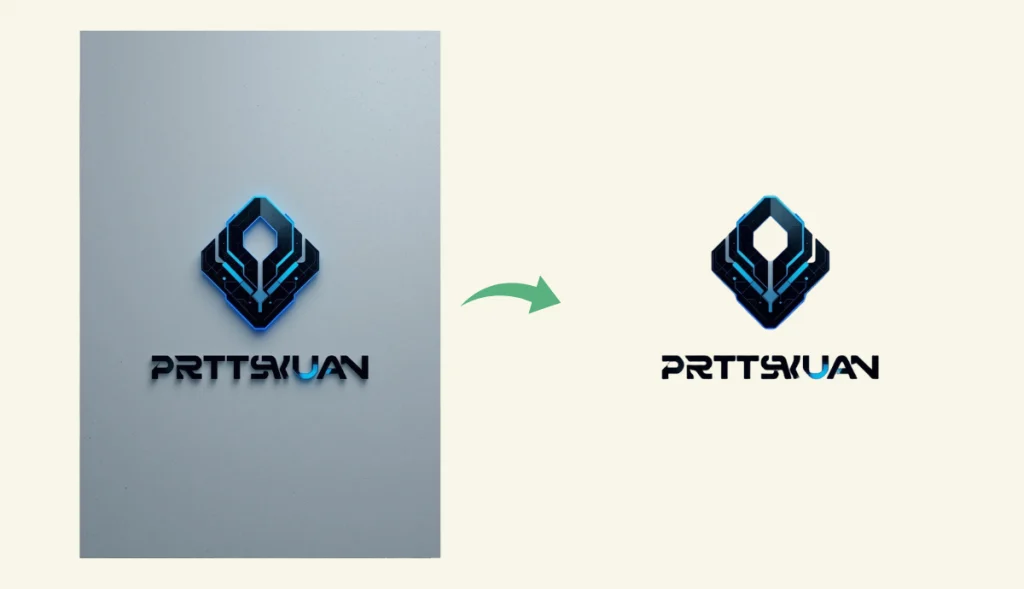
#3. Remove Background from Logo
Remove logo backgrounds quickly and for free with AI Ease. Whether you need it in transparent PNG format or want to replace the background for a branding or design project, simply upload the logo and our background removal tool takes care of the rest without manual editing.
Prompt: “Remove the background behind the logo in the image.”
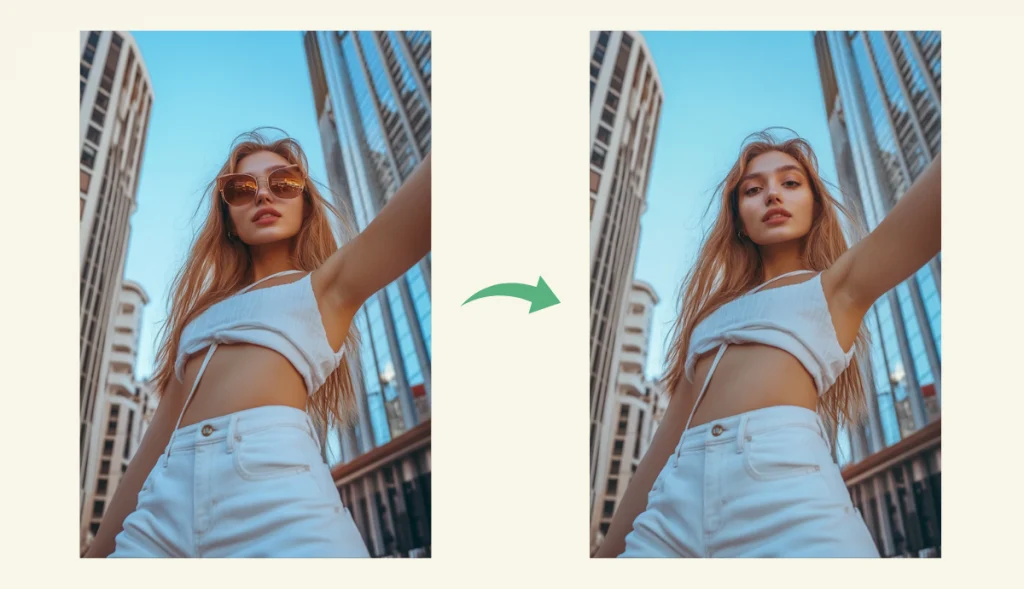
#4. Remove Object from Photo
Remove unwanted objects, people, or distractions from your photos with precision. AI Ease’s object remover utilizes intelligent inpainting to fill in the removed areas, ensuring visual consistency. Whether it’s clutter in the background or accidental photobombers, our tool help you remove object from photo in just a few clicks.
Prompt: “Remove the girl’s sunglasses from the photo.”
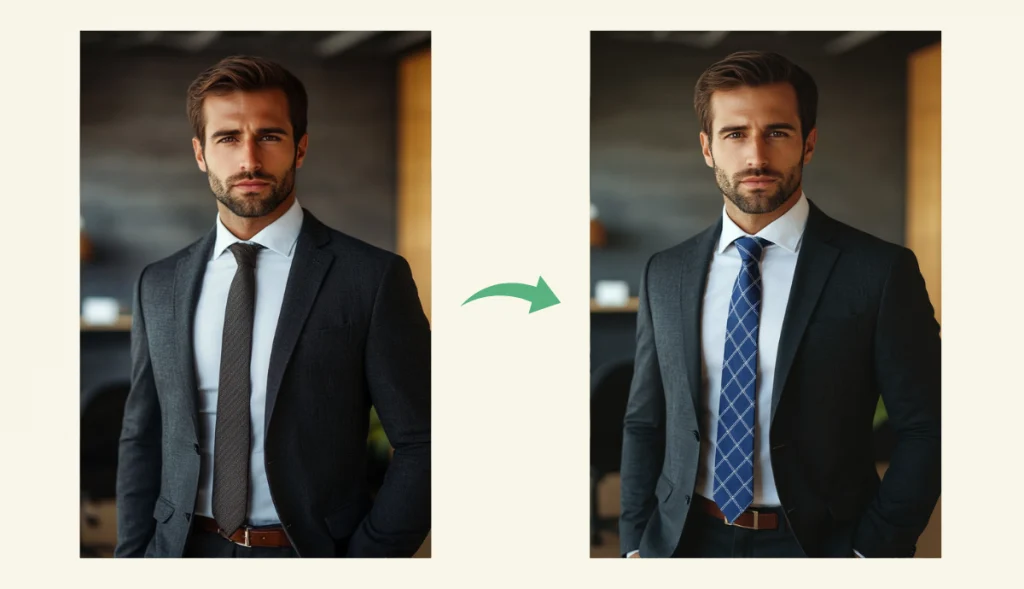
#5. Replace Object from Photo
Replace objects in your images with text commands. Simply describe what you want to replace and what you want to replace it with, and AI Ease’s AI replacer will replace objects in your photos. It’s perfect for concept art, product modeling, or sprucing up photos with unique and eye-catching elements.
Prompt: “Replace the grey tie with a blue striped tie.”
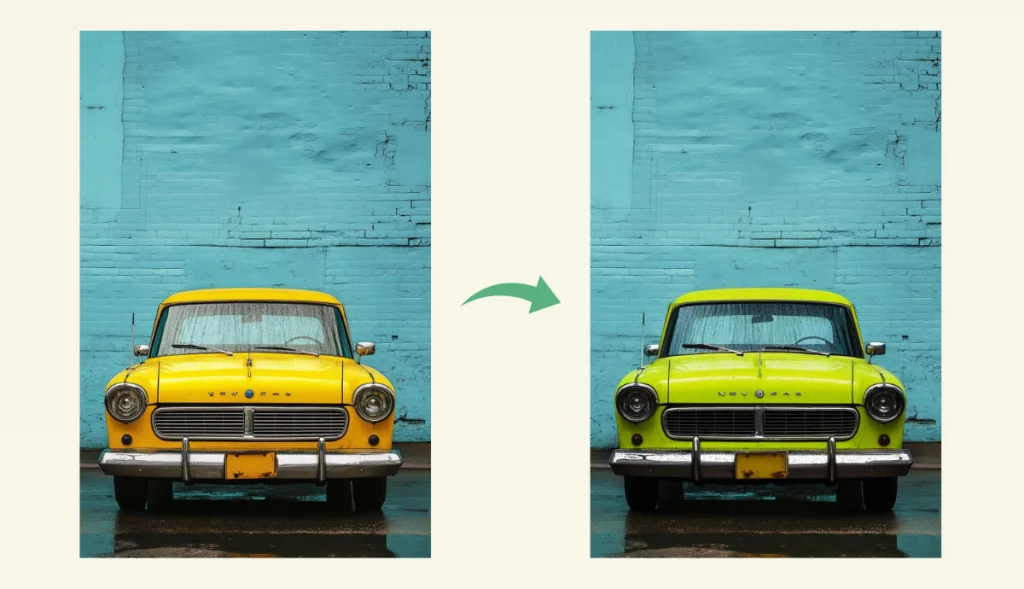
#6. Replace Color in Image
Easily change colors in your photos with AI Ease’s picture color changer. Just upload your image, mark the area, and enter your desired color – no editing skills needed. Great for product mockups, branding updates, or background adjustments, this free tool helps you replace color in image in seconds.
Prompt: “Replace the yellow car with a navy blue car.”
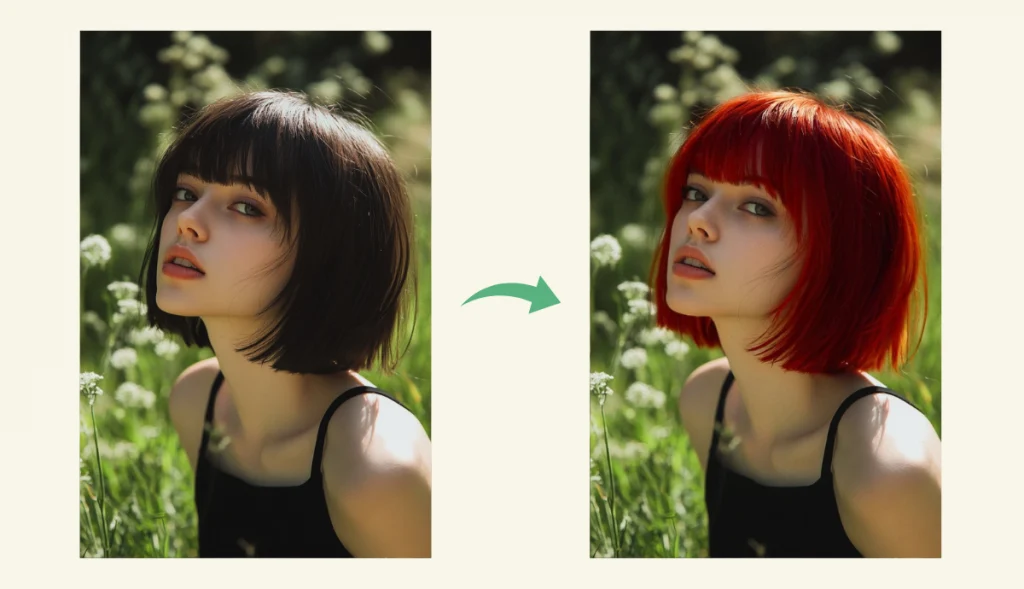
#7. Change Hair Color in Photo
Instantly try different hair colors with ease. Upload your photo, choose or describe the shade you want, and AI Ease’s hair color changer applies it while preserving your hairstyle. It’s the ideal tool for trying out new looks, planning a trip to the salon, or creating a stylized headshot.
Prompt: “Change the girl’s black hair color to red.”
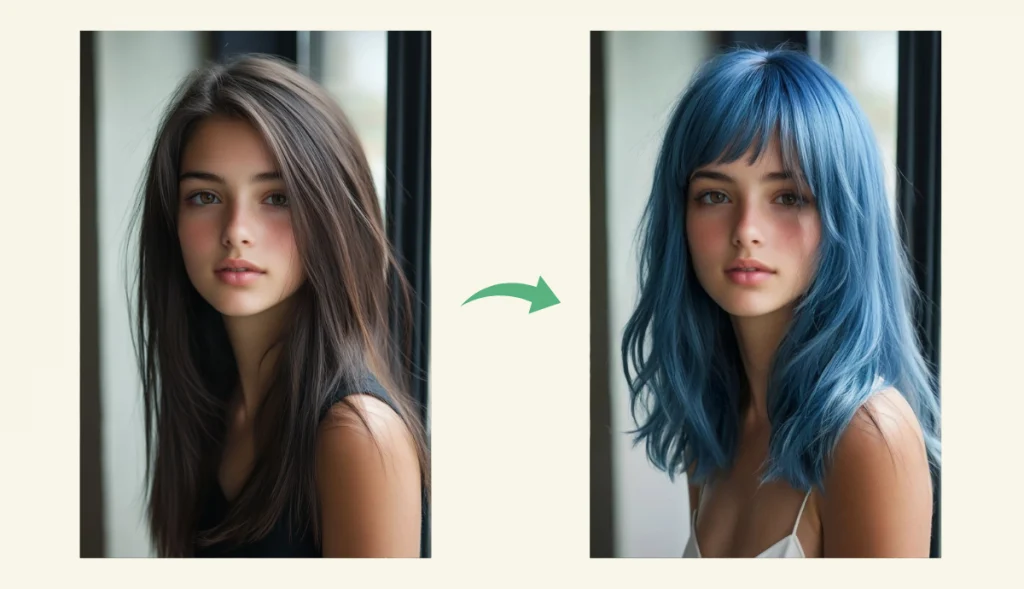
#8. Hairstyle Changer
Try out various hairstyles without cutting your hair. With just one upload, AI Ease’s hairstyle changer analyzes your face shape and applies different hairstyles that are naturally attractive for you. It’s a fun and commitment-free way to explore new styles, perfect for finding beauty inspiration or applying digital makeup.
Prompt: “Change the girl’s straight haircut to a curly haircut.”
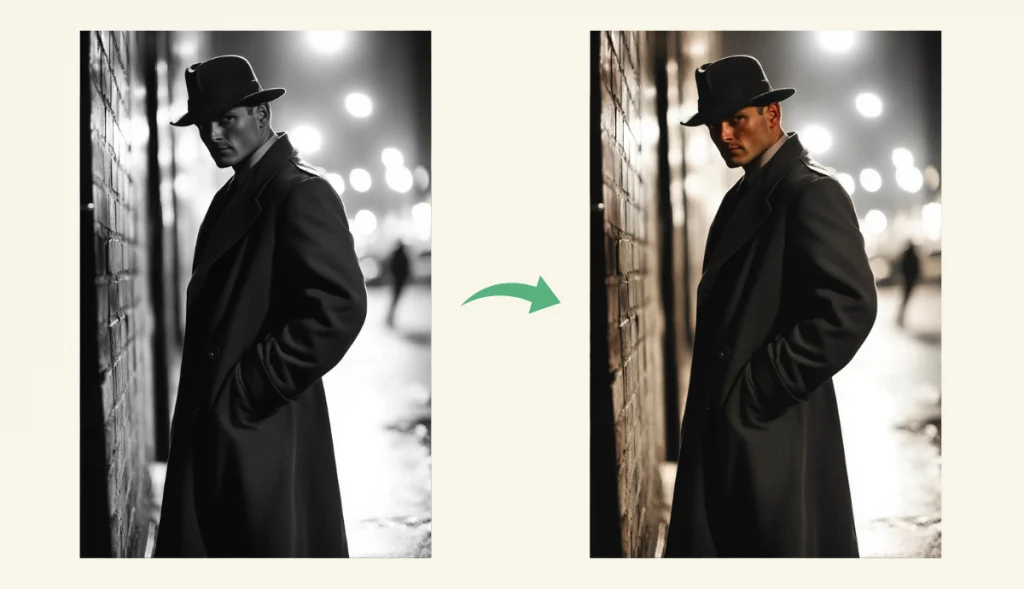
#9. Colorize Photo
Add color to your black and white photos with AI Ease’s smart photo colorizer to give them a fresh new look. Simply upload a photo and AI automatically detects and applies realistic tones that match the scene. Whether you’re restoring an old photo or enhancing a work of art, coloring has never been faster or more accurate.
Prompt: “Colorize the old photo of the man in a trench coat.”
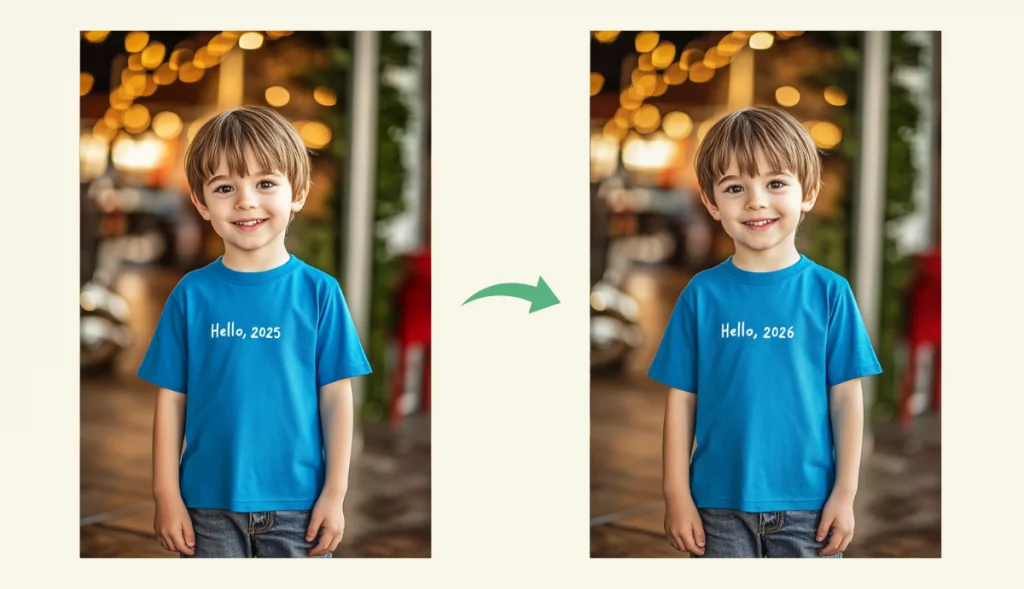
#10. Edit Text in Image
Need to change numbers, words or phrases in a picture? AI Ease makes it easy. With intelligent context-awareness, it can edit text in image directly, without requiring you to erase and retype it. Whether you’re fixing a spelling mistake or updating a design, you’ll get natural, smooth results every time.
Prompt: “Replace 2025 with 2026 on the blue shirt.”
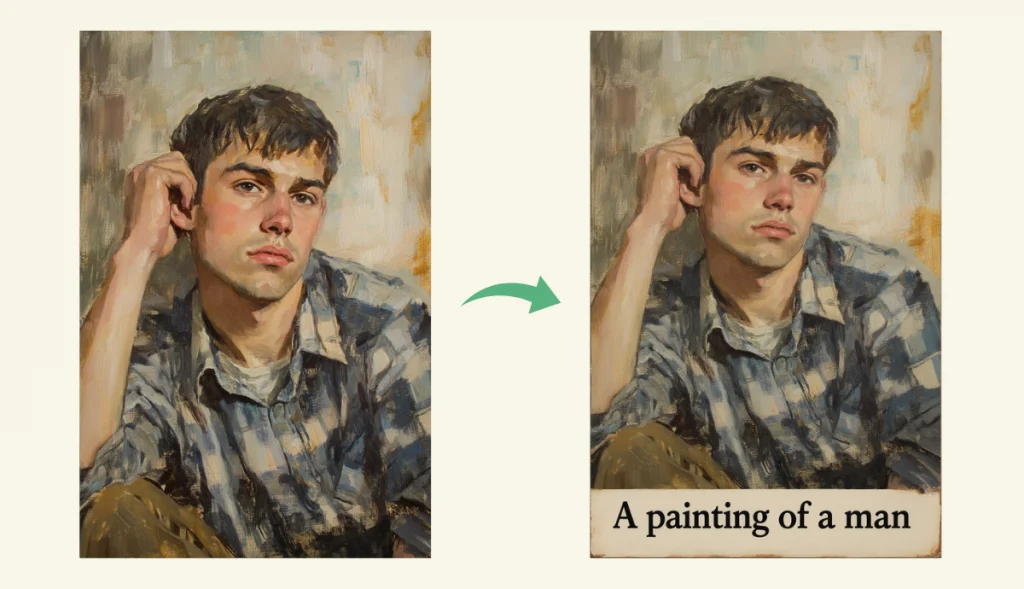
#11. Add Text to Image
Easily add custom text to images with AI Ease’s free online photo text editor. Choose your favorite font, style, and placement to highlight key information or captions. Whether you’re adding a mood-setting quote, adding signature to photo, or crafting a meme-worthy image, this tool makes overlaying text quick and visually impactful.
Prompt: “Add text to the oil-painting photo.”
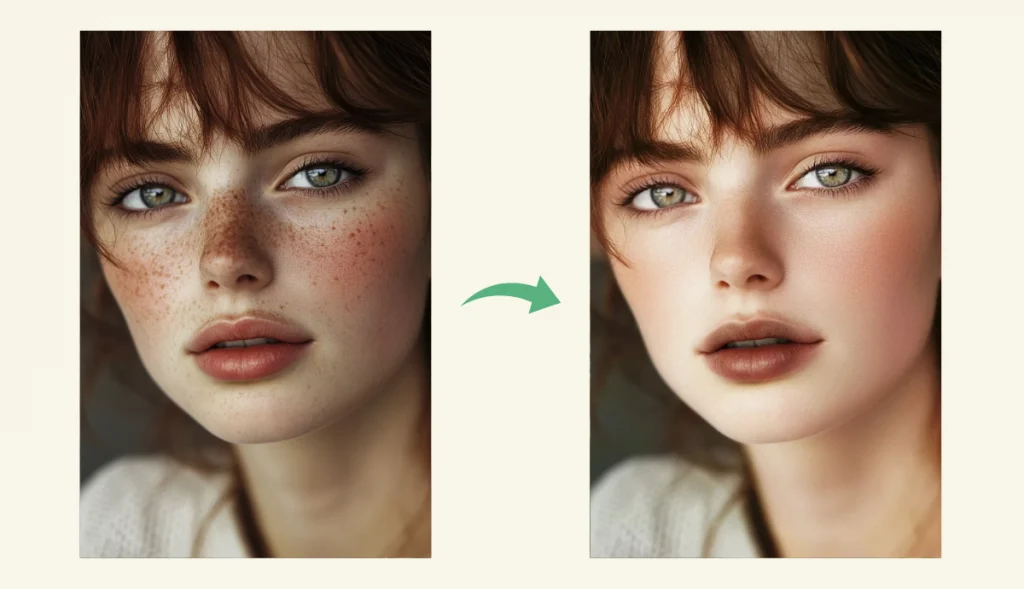
#12. Retouch Photos
Instantly retouch photos by removing blemishes, and sharpening facial features while maintaining realistic results. AI Ease’s online photo retouching tool is fast and simple, making it perfect for profile photos, social media, or professional headshots. Enjoy sophisticated and stunning results without hours of manual editing.
Prompt: “Remove the freckles from the girl’s face.”
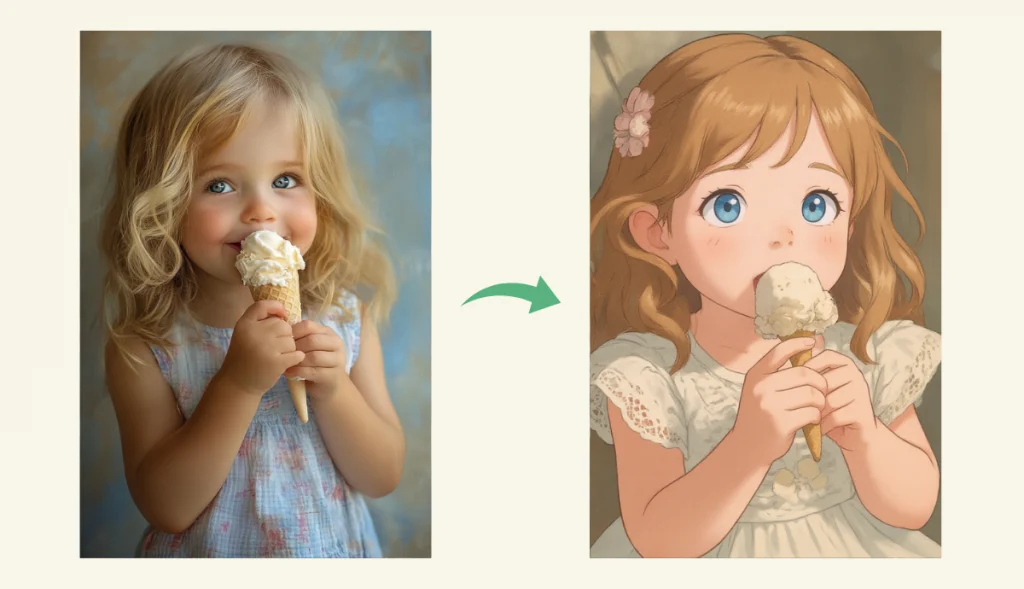
#13. Apply AI Filter
Use AI Ease’s online AI filters to transform your images into creative artwork. Simply upload your photo and choose from popular styles such as anime, cartoon, Ghibli, or pixel art. AI Ease instantly applies beauty while preserving the original details, giving you eye-catching results that are perfect for sharing or creative expression.
Prompt: “Turn the photo of the girl eating ice cream into Ghibli style.”
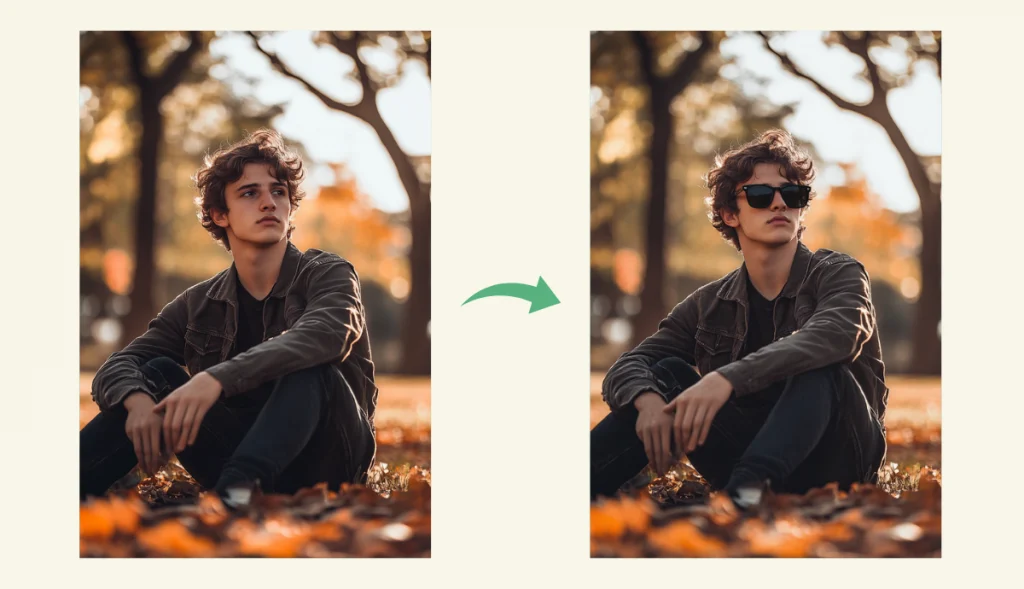
#14. Virtual Try On Glasses
Use AI Ease’s virtual fitting tool to find the perfect eyewear for your face shape in just seconds. Simply upload a photo and explore a variety of styles to fit your face. No more guesswork – AI smart recommendations help you virtual try on glasses to find the perfect size before you buy.
Prompt: “Add sunglasses to the boy.”
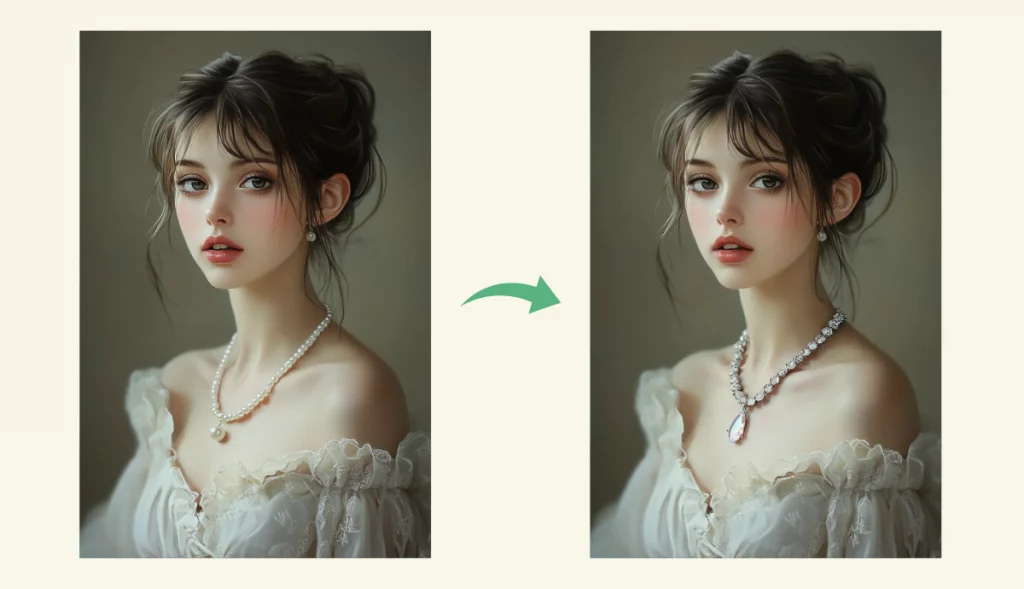
#15. Virtual Try on Jewelry
Enhance your photos with lifelike jewelry using AI Ease’s AI virtual try on jewelry tool. Just highlight the area you want to accessorize and describe the style you’re after – bracelets, rings, or other hand jewelry. Instantly explore different looks and discover the perfect match for your personal style and vibe.
Prompt: “Replace the pearl necklace with a crystal necklace.”
Final Thoughts
FLUX Kontext is a cutting-edge AI image editing that combines intuitive design with advanced features. With its multi-modal intelligence, lightning-fast performance, and flexible deployment, it is the first choice for designers, creators and developers.
AI Ease, powered by FLUX Kontext, offers a comprehensive suite of free photo editing tools that help you edit and share beautiful images easily and quickly. FLUX Kontext lets you create compelling visuals using only text prompts, redefining the possibilities of AI image editing.