Seedream 5.0 Pro: A Controllable AI Image Generator for Professional Use
Create polished images with more control using Seedream 5.0 Pro. Generate from a text prompt, add reference images, edit selected areas, and place readable text directly inside your design.



Seedream 5.0 Pro: Multimodal Image Editing for Better Visuals
Seedream 5.0 Pro for Smarter Image Creation
Seedream 5.0 Pro is a ByteDance AI image generation and editing model built for more controlled creative work. It can follow detailed prompts, work with multiple references, edit selected parts of an image, and generate text in 14 languages. Instead of relying on repeated full-image generations, you can focus on the part of the visual that still needs work. On AI Ease, you can use Seedream 5.0 Pro to move from an early idea to a more finished image in a simple workflow.
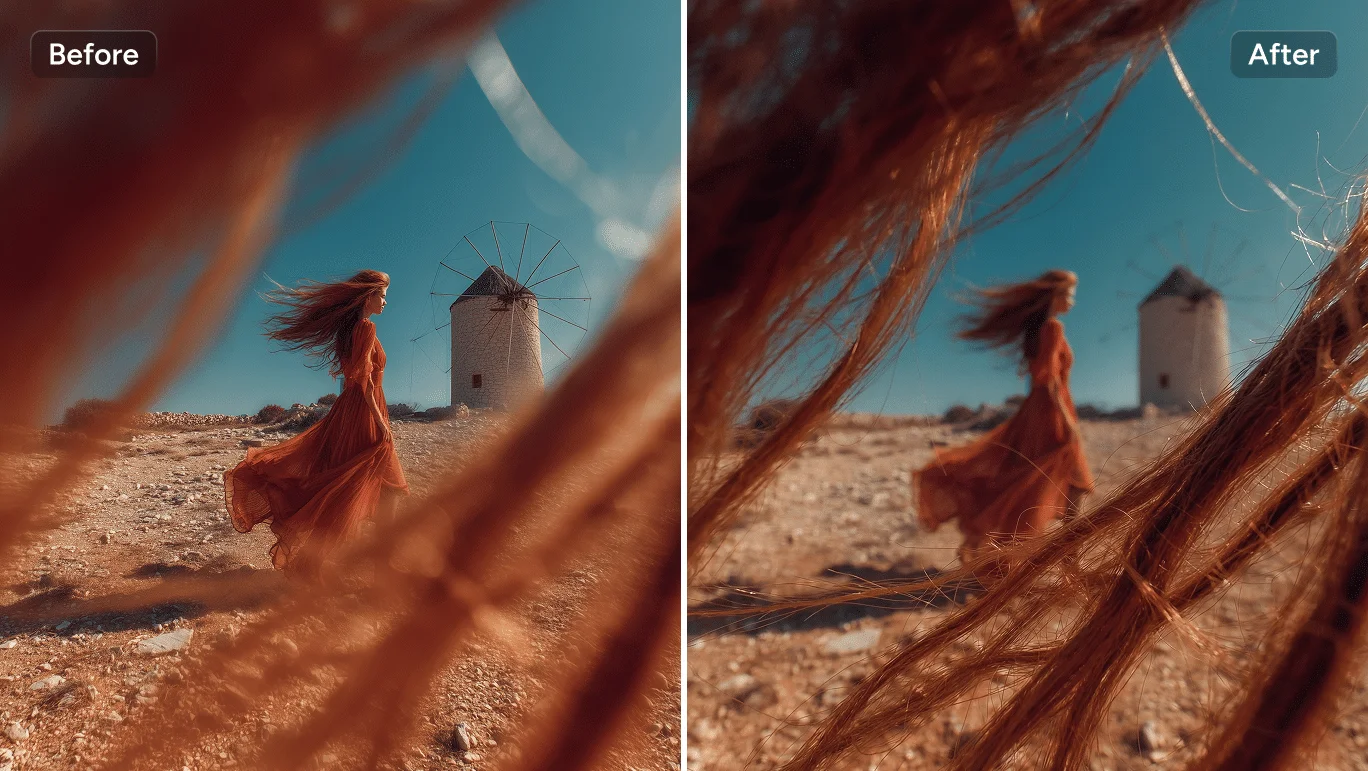
Edit Exact Areas Without Starting Over
One small mistake can ruin an otherwise strong image. Seedream 5.0 Pro lets you adjust a selected object, color, label, or background area while keeping the rest of the composition stable. You spend less time regenerating and more time polishing the version that already works.
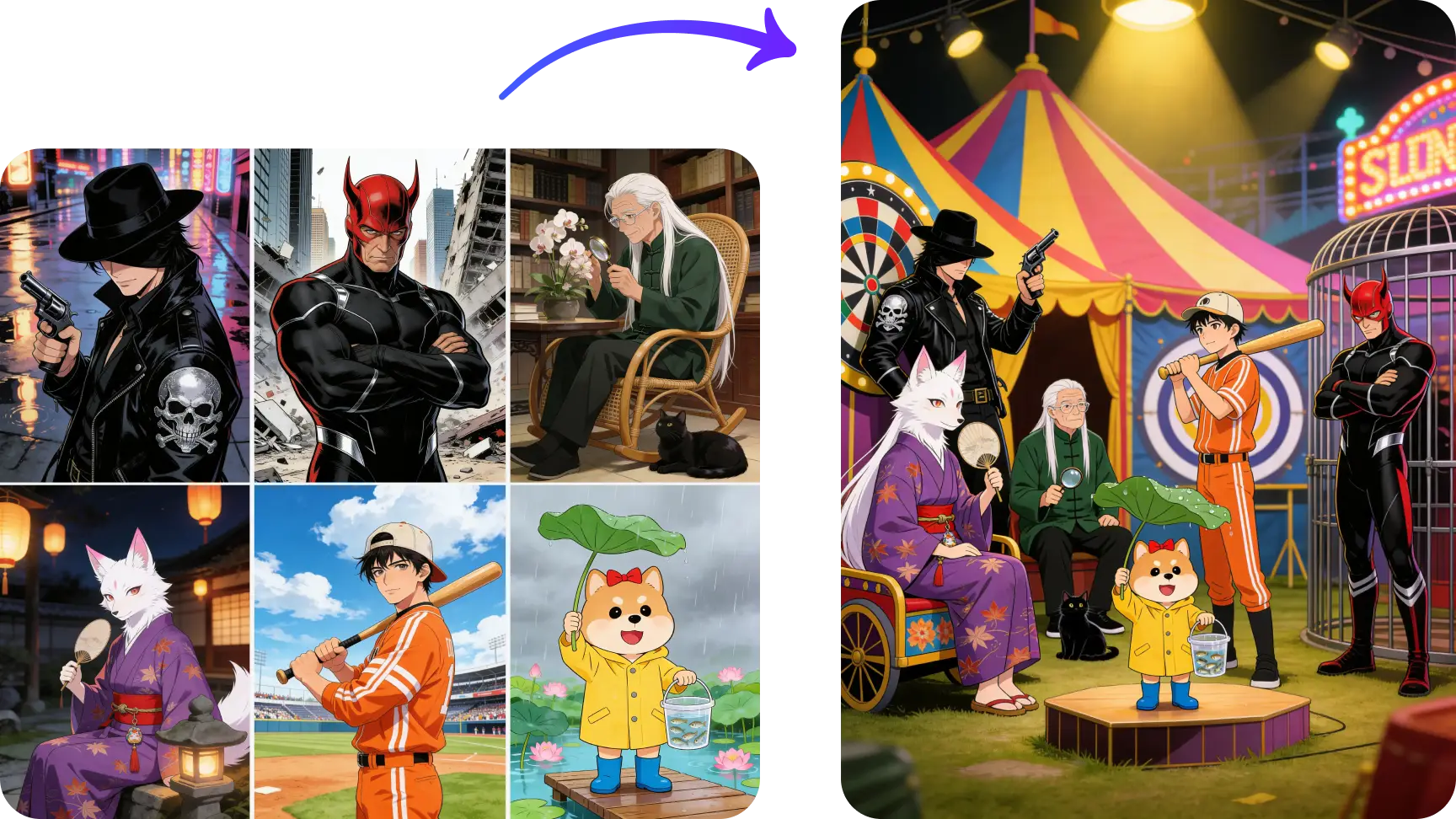
Control Complex Images Layer by Layer
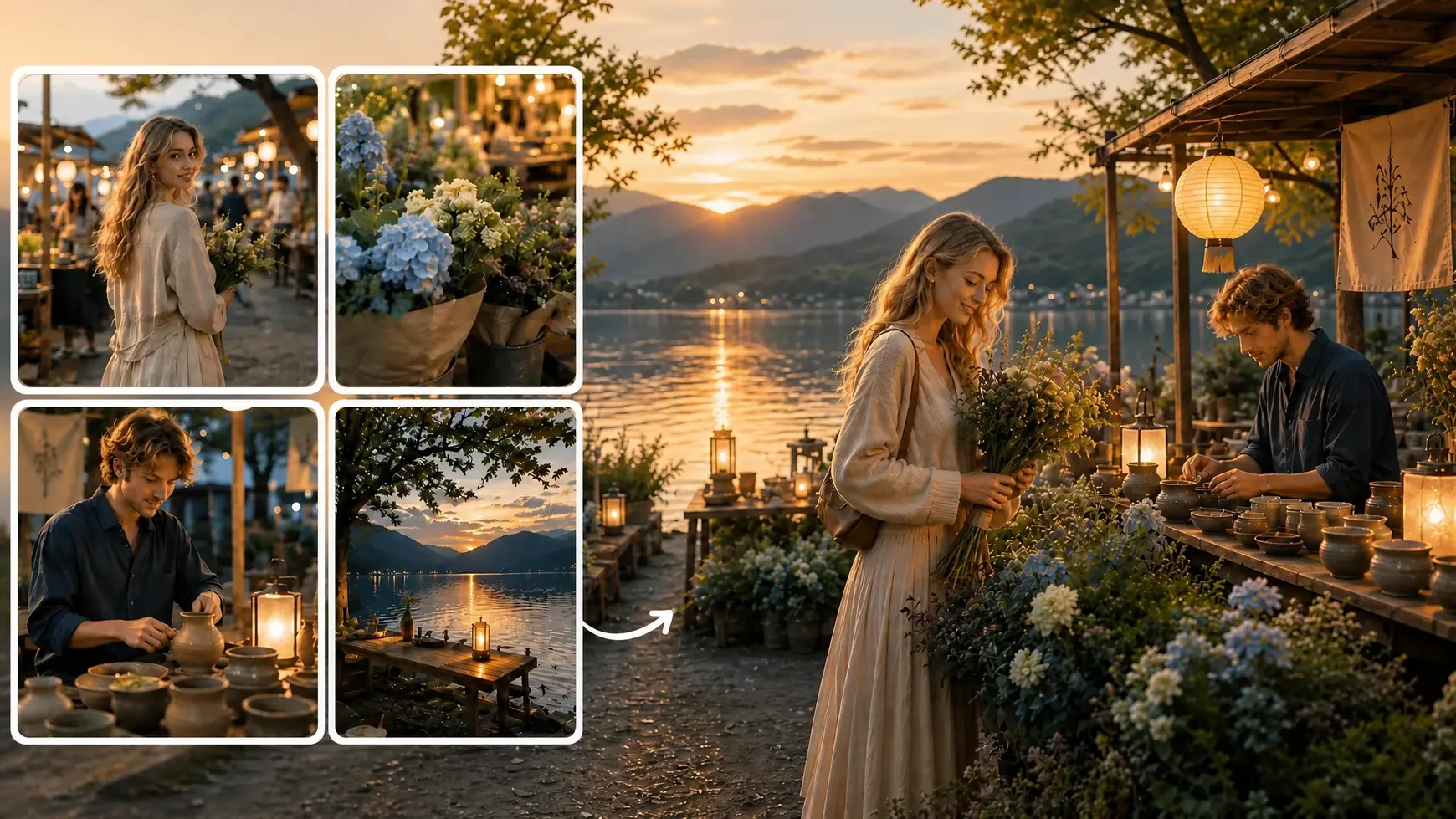
Scenes with multiple subjects, props, text, and lighting can quickly become messy. Seedream 5.0 Pro gives you clearer control over each part of the image, so the final composition feels more organized and intentional.You can also use up to 10 reference images to guide different characters, products, materials, or styles in one generation.
Create Text-Rich Images in 14 Languages
Text inside generated images often looks close, but not close enough to publish. Seedream 5.0 Pro supports native text generation in 14 languages, helping headlines, labels, product names, and short campaign copy feel more natural inside the design. That means fewer manual fixes and visuals that are closer to ready-to-use.
Turn Detailed Prompts Into Polished Visuals
A strong idea should not be limited by a basic prompt. Seedream 5.0 Pro can follow more detailed direction around composition, lighting, mood, subject relationships, and style. On AI Ease, you can move from a rough concept to a polished visual with fewer prompt rewrites and less trial and error.
What Can You Create With Seedream 5.0 Pro?

Product Images
Create polished product scenes for online stores, ads, landing pages, and launch campaigns. You can control the setting, lighting, material, placement, and overall visual mood.

Social Media Visuals
Generate covers, promotional posts, thumbnails, and campaign graphics for social platforms. Add short text directly into the design when the visual needs a clear message.

Concept Art
Turn detailed ideas into characters, environments, story scenes, and cinematic visual concepts. Multiple references can help guide different parts of the final result.

Fashion and Editorial Images
Build styled portraits, beauty campaigns, magazine-inspired visuals, and fashion concepts with more deliberate lighting, clothing, and composition.
How to Use Seedream 5.0 Pro on AI Ease
 Step 1
Choose Seedream 5.0 Pro
Open the AI image generator and select Seedream 5.0 Pro. Choose text-to-image to create something new, or image-to-image to transform an existing visual.
 Step 2
Add a Prompt and References
Describe your subject, scene, lighting, style, and text. Upload reference images when you want to guide a specific person, product, object, or material.
 Step 3
Generate and Refine
Generate your image, review the result, and adjust any details that still feel off. Once the image is ready, download it for your project.
FAQs About Seedream 5.0 Pro
Have more questions? You can email service@aiease.ai, and we'll be happy to help you.
What is Seedream 5.0 Pro?
Seedream 5.0 Pro is a ByteDance AI image generation and editing model. It supports detailed prompts, local image editing, multiple reference images, layered composition control, and text generation in 14 languages.
Is Seedream 5.0 Pro an image or video model?
Seedream 5.0 Pro is an AI image model. It creates and edits still images. You can also use the finished image as a starting frame for an image-to-video workflow.
How many reference images can I upload?
You can use up to 10 reference images in one generation. Different references can guide separate subjects, products, objects, materials, or styles.
Which languages does Seedream 5.0 Pro support?
Seedream 5.0 Pro supports native text generation in 14 languages: Spanish, Arabic, French, Portuguese, Russian, Indonesian, German, Japanese, Vietnamese, Turkish, Korean, Malay, Thai, and Tagalog.