Free AI Minecraft Video Generator Online
Create stunning Minecraft videos in minutes with our AI video generator. Designed for speed and simplicity, it lets everyone turn ideas into pixel-style videos. No editing skills required.
Boost Efficiency with AI Minecraft Video Generator
Generate AI Minecraft Videos Faster
Are you still building maps manually, recording first-person gameplay, and spending hours editing just to create a Minecraft video? With AI Minecraft video generator, you can skip the entire traditional workflow. Simply enter text prompts or upload images, and the tool will generate Minecraft-style videos for you in minutes.
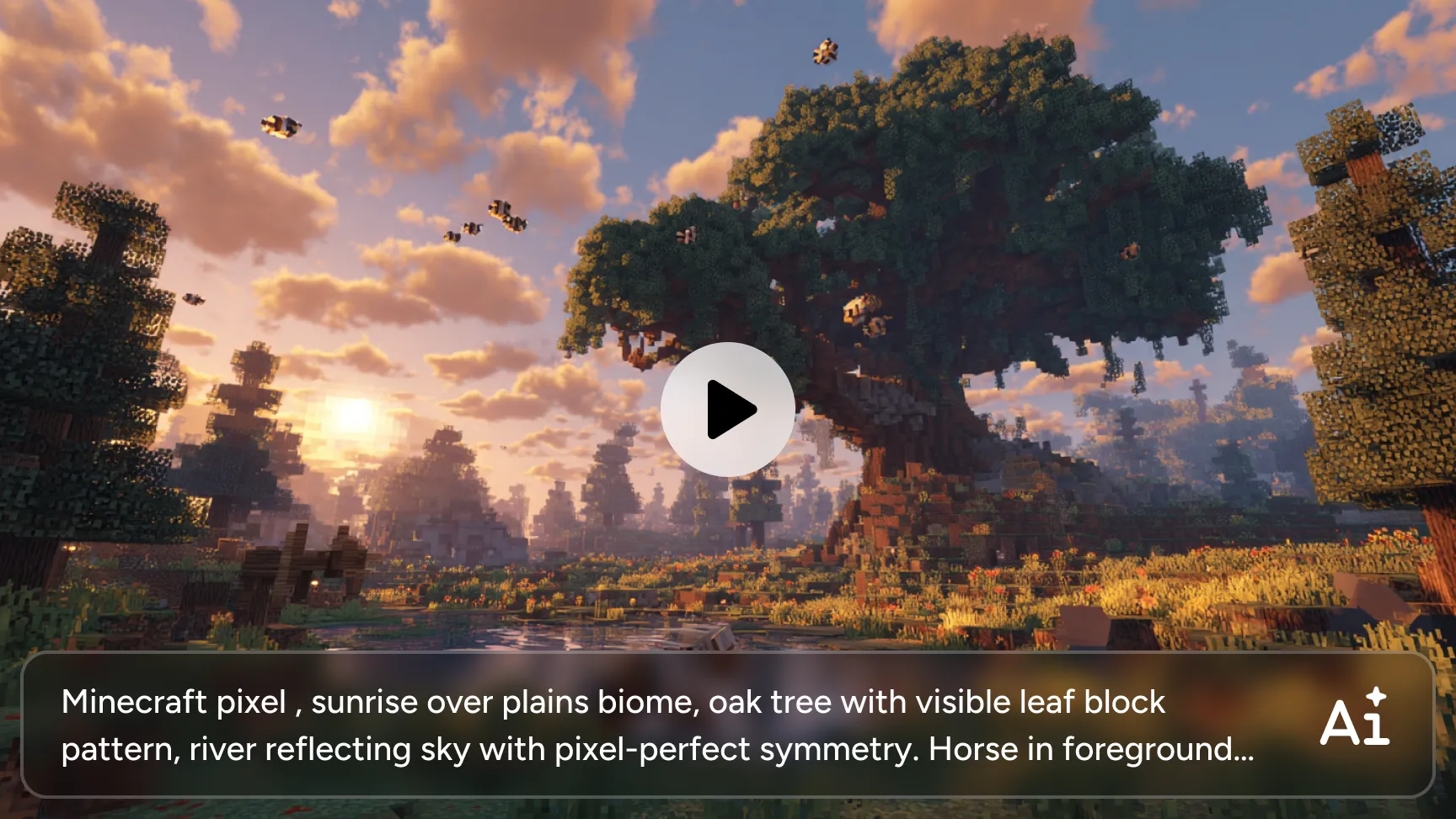
Turn Text/Images into Minecraft-Style Videos
Ready to quickly create Minecraft videos with AI? Simply upload your text/images, and the AI handles scene generation, motion, and pixel-style automatically. Therefore, AI video maker is ideal for creators who want quick results without complex workflows.
Generate Video and Audio Together
The AI Ease Minecraft video generator doesn’t just create visuals, it also supports synchronized sound. This eliminates the need for external audio editing tools and significantly reduces production time.
Multiple Aspect Ratios for Most Platforms
AI Ease generates videos with flexible aspect ratio options, including 1:1, 16:9, 9:16, 3:4, 4:3, and more. This ensures your AI generated Minecraft videos look perfect on any platform, YouTube, TikTok, Instagram, or mobile devices. You can generate content optimized for most platforms.
HD Video Output for Clear Visuals
AI Ease delivers high-definition Minecraft ai generated videos with sharp details and clean visuals, supporting output quality up to 1080p HD. This ensures the pixel art style stays crisp and well-defined rather than blurry. Whether your content is viewed on a smartphone, desktop monitor, or large screen, visual quality remains professional.
How to Make an AI Minecraft Video with AI Ease
- Step1
Choose the AI Model
Start by selecting the AI model that best fits your creative goal. Some models support video generation together with audio, such as Sora2, Seedance 1.5 Pro. These models deliver smooth visuals and synchronized sound, helping you achieve high-quality results easily.
- Step2
Upload Your Prompt or Image
Enter a text prompt describing your idea, or upload an image as a visual reference. The AI analyzes your input to understand scene structure, style, and motion, ensuring the generated video matches your creative intent.
- Step3
Generate a Minecraft Video
Click generate and let the maker do the work. Within minutes, your video is created with automated animation, visual coherence, and optional sound, saving you hours of manual editing.
- Step4
Download and Share Your Video
Preview the result, then download the Minecraft AI generated video. Your video is ready to share instantly across social platforms, presentations, or any digital channel.
What Minecraft AI Video Generator Can Create
Generate Minecraft videos with AI Ease. Our Minecraft video AI generator can present your ideas perfectly.

Scalable Social Media Content Production
Produce pixel art videos at scale with a fast, simplified creation workflow. AI Ease allows creators to generate Minecraft-style content in minutes, making it easy to keep up with frequent posting schedules.

Pixel-Style Videos for Minecraft Fans
Create engaging pixel-style videos designed specifically for Minecraft fans. Whether it’s parkour scenes, character animations, or creative worlds, the AI transforms prompts or images into videos that match the iconic Minecraft aesthetic. This makes it easy to turn fan ideas, stories, or favorite elements into visually appealing content.

High-Impact Minecraft Videos for Ads
Design eye-catching videos that fit naturally into the Minecraft ecosystem. The AI Minecraft video generator helps gaming channels create short, dynamic clips that highlight branding, gameplay themes, or announcements.
Frequently Asked Questions
Have more questions? You can email service@aiease.ai, and we'll be happy to help you.
Can I generate Minecraft parkour videos with AI?
Yes. You can create Minecraft parkour videos by describing the course, movement style, or camera angle in your prompt, or by uploading a reference image. The AI Minecraft parkour video generator creates dynamic motion and block-style environments that fit parkour-themed content.
Is Minecraft video AI generator suitable for beginner creators?
Absolutely. This AI Minecraft video maker is extremely beginner-friendly. All you need to do is select an AI model, upload a prompt or image, generate your Minecraft video, and download the result. No editing skills or technical experience are required.
Can I use the generated videos for YouTube or social media?
Yes. Videos generated by AI Ease can be used for YouTube, TikTok, Instagram, and other social platforms. With multiple resolution and format options, your videos are optimized for both short-form and long-form content.Yes.
What video aspect ratios are supported?
AI Ease video generator supports video aspect ratios including 1:1, 16:9, 9:16, 3:4, 4:3, and more. This ensures your videos fit perfectly across social media feeds, mobile screens, and widescreen displays.
How long does it take to generate a Minecraft video?
Most videos are generated within minutes. The exact time depends on video length, resolution, and selected settings, but the process is significantly faster than traditional video editing.