免費 Flux 3 AI 圖像生成器線上工具
在 AI Ease 上用 Flux 3 讓你的想法更聚焦。從文字生成圖像、優化現有照片,並結合最多 10 張參考圖,塑造你的視覺構想。最高支援 4K 輸出,適合打造細節豐富的產品場景、有表情的肖像,以及下一個專案所需的原創作品。
如何在 AI Ease 上用 Flux 3 生成圖像
- 1
選擇 Flux 3 並描述你的想法
輸入提示詞,描述主體、場景、風格與構圖。若要編輯現有圖片或引導生成結果,上傳你的圖片並說明各自的用途。
- 2
設定圖像偏好
從可用的長寬比與解析度中選擇,配合你的專案需求。再用光線、色彩、物件位置等細節微調指示,然後點擊「生成」。
- 3
檢視、微調並下載
檢查生成的圖像,如有需要調整的地方就修改提示詞。當你對構圖與細節都滿意後,下載圖像用於你的專案。
使用 Flux 3 AI 圖像生成器創作與編輯
把你的想法從一句文字變成完整畫面。Flux 3 在 AI Ease 上結合文字轉圖、高解析輸出、圖像編輯與多重參考,讓你既能從零創作,也能延伸打磨你已經喜歡的圖片。

把文字變成原創圖像
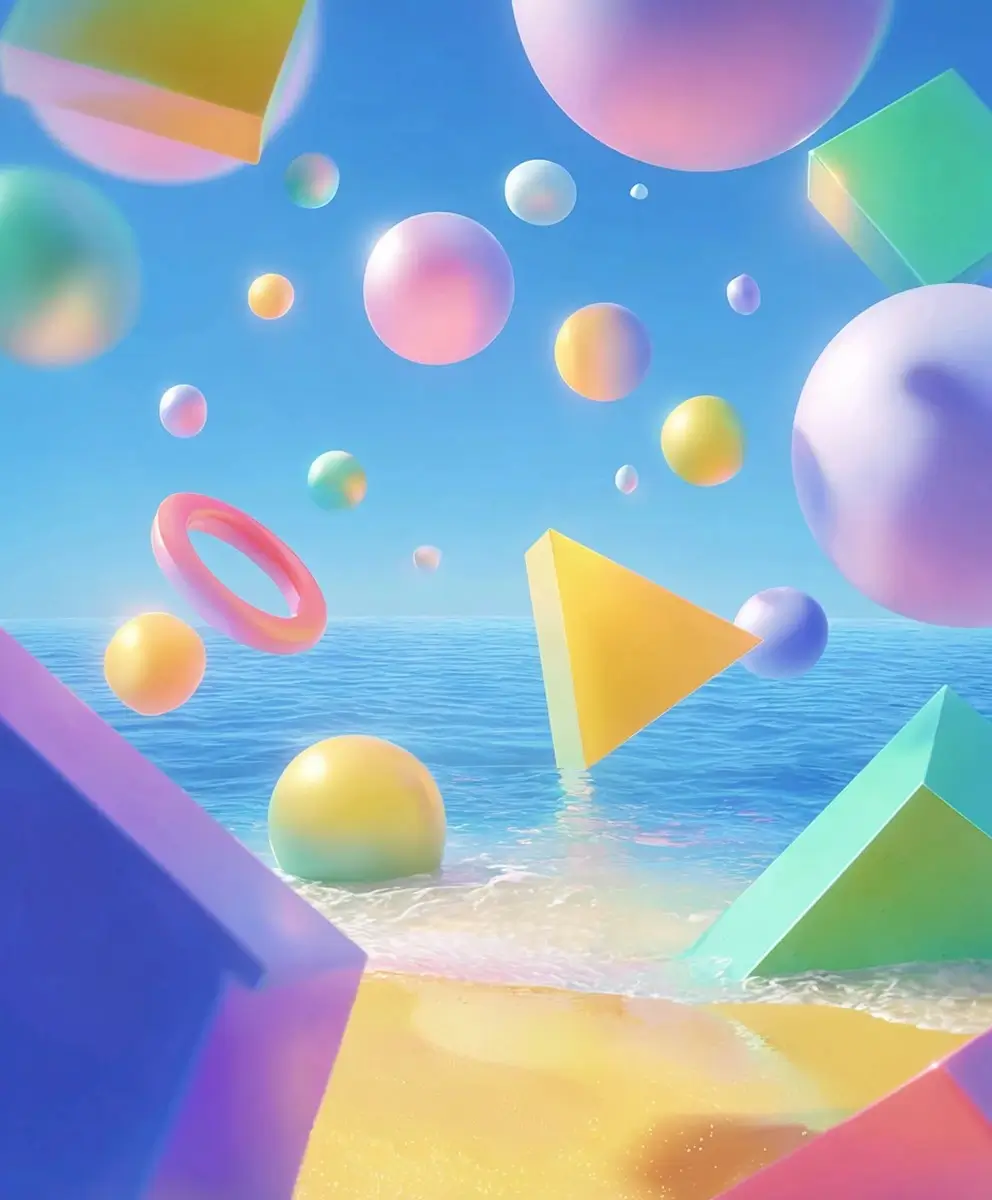
從一個想法開始,描述你想看到的畫面。Flux 3 會把文字提示轉成圖像,無論是日光灑落的室內、雜誌感肖像,還是充滿想像力的插畫。請寫出主體、場景、光線與氛圍,讓概念有清楚方向。你可以要求「窗邊的陶瓷花瓶」或「雨後的未來城市」。透過 AI Ease,你可以探索不同詮釋、調整描述,直到發展出符合你故事的視覺。
用 4K 呈現細節與質感
讓細膩的材質與精心佈置的場景有更多發揮空間。Flux 3 支援最高 4K 原生生成,幫助你打造適合網站圖像、產品展示與創意專案的高細節畫面。你可以放大欣賞亞麻襯衫的織紋、玻璃瓶上的反光,或花藝作品的細緻花瓣。更高解析度也讓你在裁切圖片以適配不同版面時更有彈性。選擇符合專案的可用解析度,並在原尺寸下檢視結果,再準備最終設計。
用簡單指令編輯你的圖片
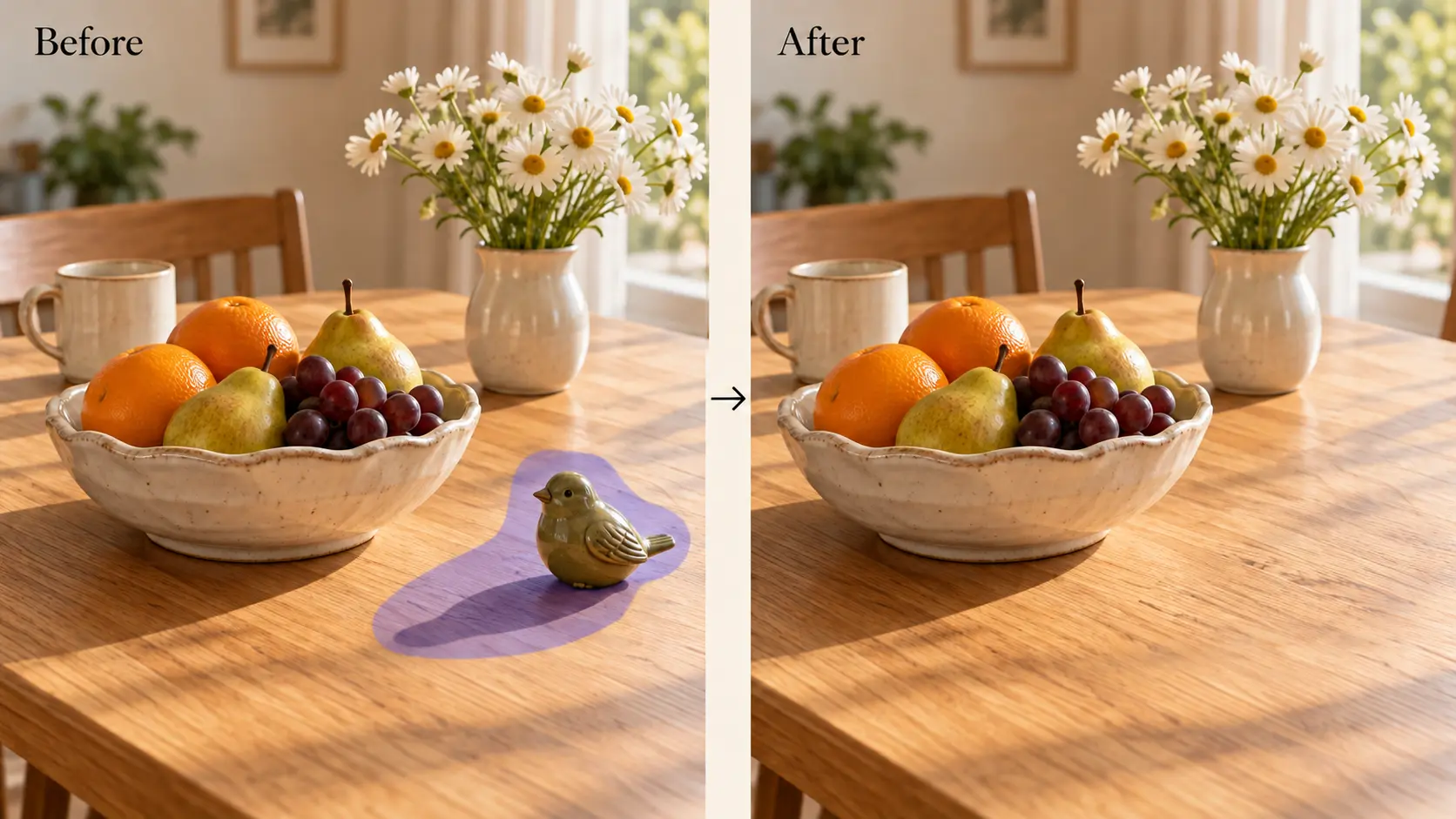
當只需要調整幾個細節時,也能持續打磨同一張圖。上傳照片並描述你想修改的內容,例如更換背景、調整穿搭,或 移除不需要的物件。Flux 3 支援針對性的圖像編輯,幫你在保留整體方向的前提下微調局部場景。你可以把白天的咖啡館改成溫暖的夜晚氛圍,或把椅子的布料換成柔和的綠色。記得說明哪些元素要維持不變,以便模型更聚焦地修正。
用最多 10 張參考圖塑造你的視覺方向
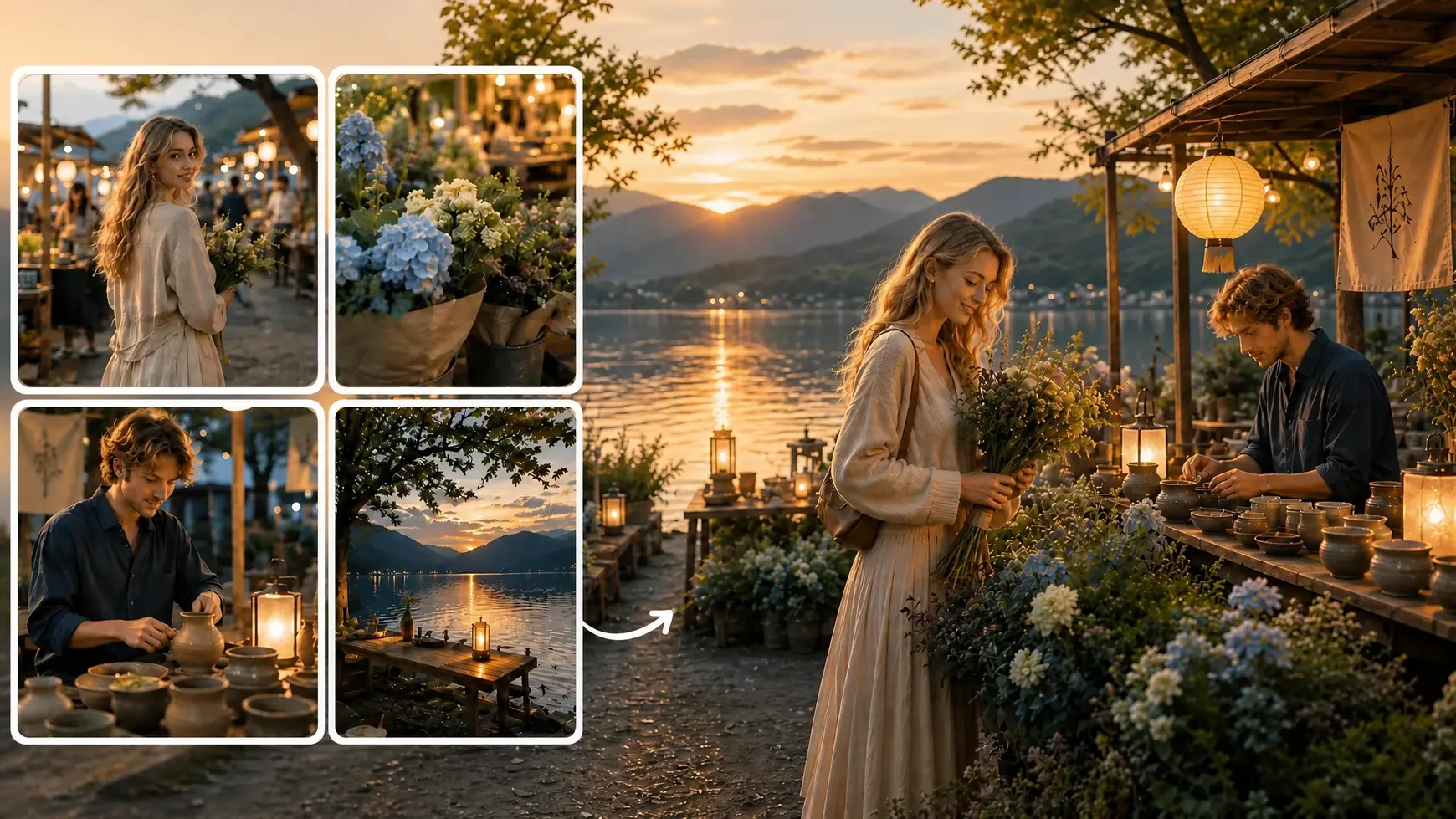
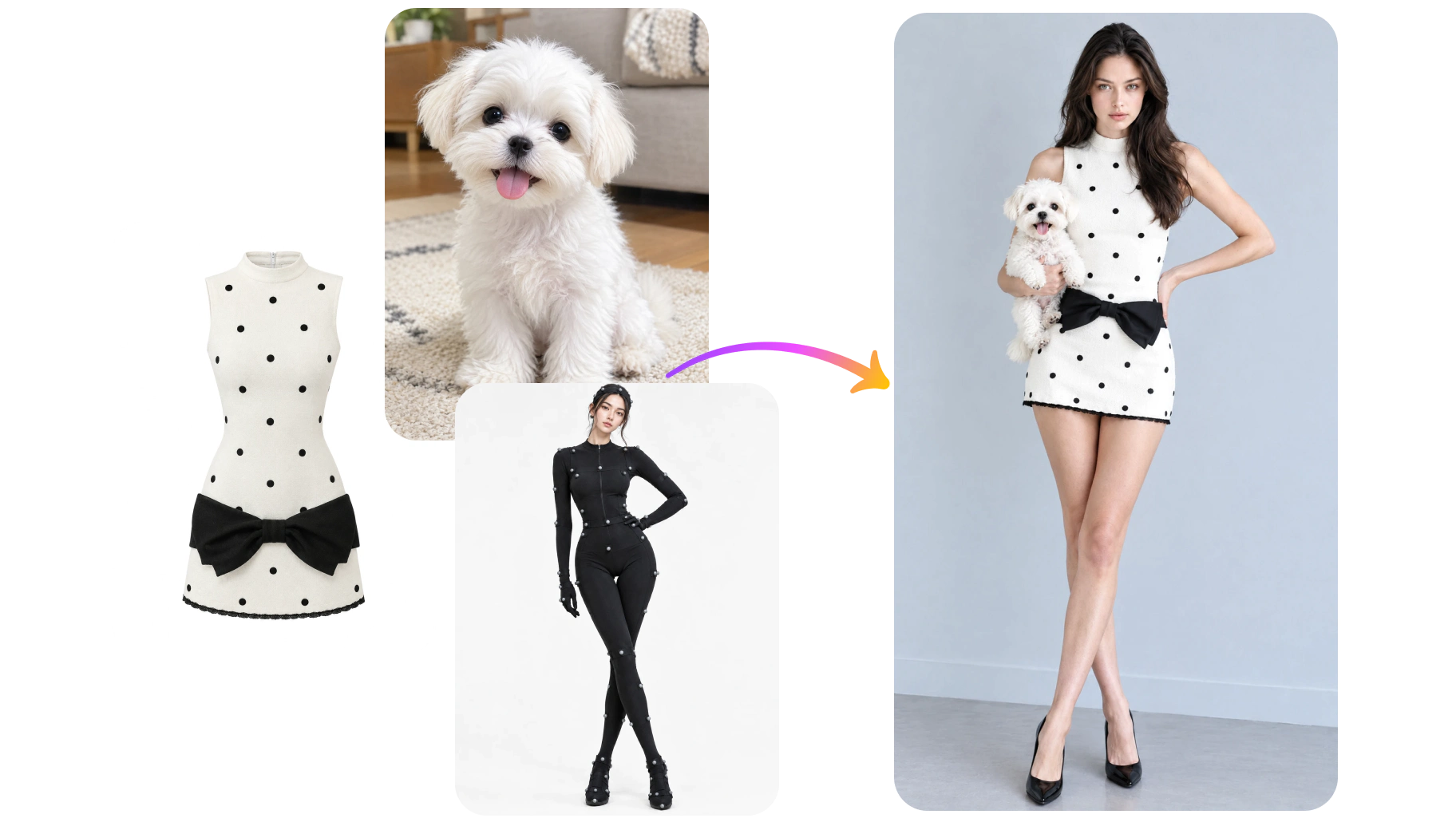
有些想法用圖片比用文字更好表達。你可以加入最多 10 張參考圖,來引導主體、物件、場景或整體風格。比方說,把沙發、地毯與空間參考圖放在一起,探索室內設計概念;或將產品照與理想場景的靈感圖搭配。說明每張圖片應該提供什麼線索,讓 Flux 3 有更清楚的方向。這種方式能把分散的視覺想法整合成一致的構圖,特別適合當純文字提示留下太多想像空間時。
探索你能用 Flux 3 創造什麼

為產品打造合適的情境
幫助顧客想像產品如何融入日常生活。先放入產品參考圖,再描述能襯托它用途的場景,例如明亮廚房裡的咖啡機,或林間小徑旁的登山靴。Flux 3 能協助你探索產品頁、系列橫幅與宣傳素材的情境式畫面。利用提示詞指定鏡頭角度、周邊道具與光線配置。

為下一檔活動建立視覺方向
把活動主題轉化成一組團隊可以討論的視覺概念。針對產品發表、季節促銷或品牌宣告,探索不同場景、色彩與構圖。一個夏季保養活動可以從日照石面、清新柑橘與柔和藍色陰影開始;冬季概念則可改用較暖的光線與更豐富的質感。利用 Flux 3 發展這些方向並打磨最有潛力的想法。記得描述標題文字將放置的位置,讓畫面預留適合的廣告版位。

打造具編輯風格的肖像
探索造型、光線與氛圍相互呼應的肖像畫面。你可以描述柔和窗光下的近距離美妝照、雕塑感背景前的時尚人像,或帶有自然動態的戶外場景。Flux 3 讓你在發展概念時,自由嘗試服裝、色彩、取景與情緒。參考圖片能幫你更精準傳達心中的風格。將結果用於情緒板、創意方向提案,或未來拍攝的視覺參考,再進一步微調最關鍵的細節。

為下一個點子打造社群視覺
讓每一則貼文都有與內容呼應的畫面。你可以為公告設計俏皮插畫、為個人故事搭配氛圍感影像,或為固定單元準備主題背景。透過 AI Ease 上的 Flux 3,你能在描述新概念的同時,用參考圖維持熟悉的色彩與風格。依貼文目的規劃構圖,預留日後加上文字說明的位置,讓內容多變的同時,也能在整體版面維持一致的辨識度。

在改造前先把房間「看」出來
先用視覺模擬家具、材質與裝飾細節在空間中的搭配。把椅子、燈具、地毯或色票等參考圖組合起來,再描述你想打造的房間。你可以比較一個以淺色木頭與亞麻為主的靜謐閱讀角,和一個運用圖紋布料與鮮明點綴的更有個性版本。Flux 3 會把這些選擇轉成可並排檢視的視覺方案。利用這些圖像溝通裝潢方向,先收斂喜好,再去確認實際尺寸、材質與產品供應。

為你的故事發展世界觀
替想像中的世界建立第一批視覺草圖。為故事、遊戲或個人創作設計角色概念、氛圍場景與關鍵片段。你可以描述被植物覆蓋的天文台、黃昏時的海邊小鎮,或擺滿奇特物件的探險家工作室。參考圖可以幫你在擴展世界觀時,維持服裝、建築細節或整體色調的一致性。Flux 3 讓你先在圖像中測試這些元素如何搭配,幫助你在進入插畫、寫作或製作前,先釐清空間感與情緒。
常見問題
還有其他問題嗎?你可以寄信到 service@aiease.ai,我們會盡力協助你。
What is Flux 3 Image?
Flux 3 Image is an AI image generation and editing model developed by Black Forest Labs. It creates images from text, edits existing visuals through written instructions, and combines multiple image references to guide a new composition.
How is text-to-image generation different from image editing?
Text-to-image generation starts with a written description and creates a new visual. Image editing starts with an existing image and uses your instructions to change specific elements, such as the background, clothing, colors, or objects in the scene.
Does Flux 3 support native 4K images?
Yes. Flux 3 Image supports native generation up to 4K. This means it can generate at that resolution rather than relying only on enlarging a smaller image afterward. The resolution options available to you depend on the settings offered in AI Ease.
How many reference images can I use?
Flux 3 supports up to 10 reference images. You can use them to guide different elements, such as a subject, product, background, or style. Explain what each reference should contribute so the model can better understand how to combine them.
Can I change one part of an image?
Yes. Flux 3 supports targeted edits through text instructions. Name the element you want to change and describe the desired result. If other details should remain consistent, mention them in your prompt and check the generated image for any unintended changes.
Can Flux 3 generate text inside images?
Yes. You can request text for signs, posters, covers, and similar visual concepts. Put the wording in quotation marks and specify where it should appear. Always review the result for spelling, spacing, and readability before using it in a finished design.
What should I include in my prompt?
Start with the main subject and action, then add the setting, lighting, style, and composition. For example: “A pale blue ceramic teapot on a wooden breakfast table, soft morning light, linen napkin, editorial photography, open space on the left.” For edits, clearly state what should change and what should stay.
Do I need design experience to use Flux 3?
No design experience is required to get started. Describe your idea in everyday language, add references if helpful, and review the result. You can adjust your instructions as you explore different looks and become more familiar with how the model responds.