免費 Seedream 5.0 Flash AI 圖像生成器
在 AI Ease 上使用 Seedream 5.0 Flash 創建與編輯圖像。從文字或圖片生成最高 2K 的精細畫面,最多可結合 10 張參考圖,並在同一流程中微調細節。透過快速、實惠的生成與彈性長寬比,輕鬆為產品圖、行銷活動與日常內容探索更多創意。
為什麼選擇 Seedream 5.0 Flash

更快實現你的創意
透過快速的圖像生成與編輯,維持創作節奏不中斷。Seedream 5.0 Flash 讓你更輕鬆地嘗試想法、檢視結果,並在概念仍然新鮮時探索不同方向。無論是回應臨時簡報,或準備多個視覺方案,你都能高效完成多輪修改,把更多時間花在打磨理想畫面上。

用同樣預算創造更多圖像
在不拉高製作預算的前提下,為自己保留更多試驗空間。Seedream 5.0 Flash 專為高性價比創作打造,非常適合頻繁生成與長期內容需求。你可以探索不同概念、製作多種變化,並在定案前細緻調整最喜歡的版本。對於需要持續產出視覺內容的創作者與團隊,它提供了一種在控管成本下持續創作的方式。

在同一流程中完成創建與編輯
讓圖像生成與編輯隨著靈感一同推進。從文字提示或現有照片開始,再透過指令與參考圖塑造結果。在 AI Ease 上使用 Seedream 5.0 Flash,你可以在同一流程中探索新概念並細修其細節。隨著回饋到位,持續沿著同一創意方向疊代,讓日常修圖與修改更好管理。
用 Seedream 5.0 Flash 創造更多
在 AI Ease 上以快速、實惠的圖像生成與編輯,將靈感具象化。Seedream 5.0 Flash 結合彈性的創作工具與親民的生成成本,讓你更容易探索想法、優化圖像,並跟上日常內容的產出需求。
從文字或圖片開始創作
把文字想法變成全新圖像,或替現有照片換上新風格。在 AI Ease 上使用 Seedream 5.0 Flash,你可以透過提示詞創建場景、替換背景、探索風格並微調細節。讓全新概念成形,同時在同一流程中編輯你已經擁有的圖片。
生成最高 2K 的精細圖像
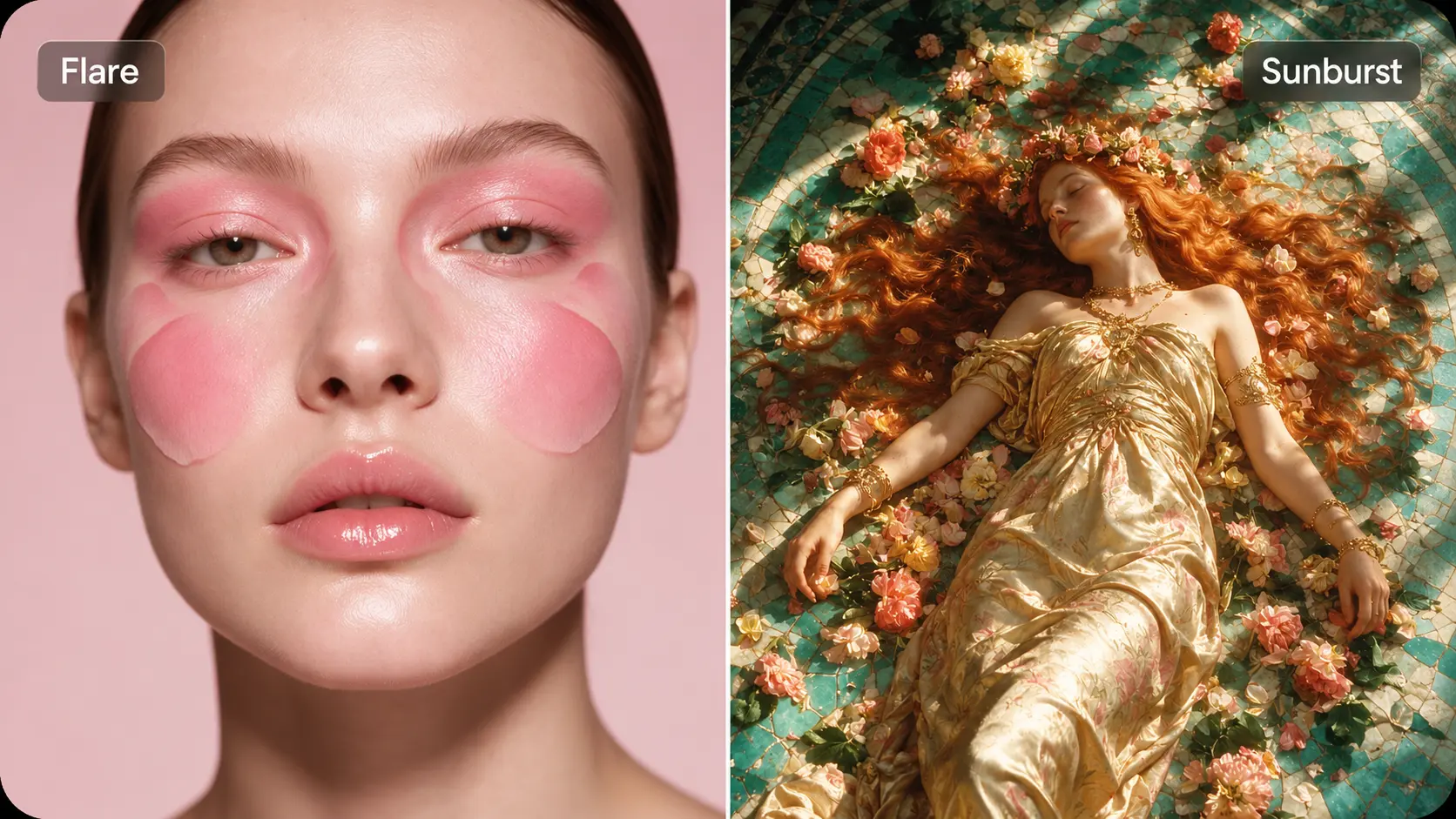
以最高 2K 解析度生成適用於 產品視覺、人像、插畫與行銷素材的圖像,讓材質、光影與細節有更多發揮空間。無論是更新登陸頁,或製作下一則社群貼文,都能輸出清晰、細膩的畫面,幫助你的創意方向更聚焦。
用多張參考圖引導結果
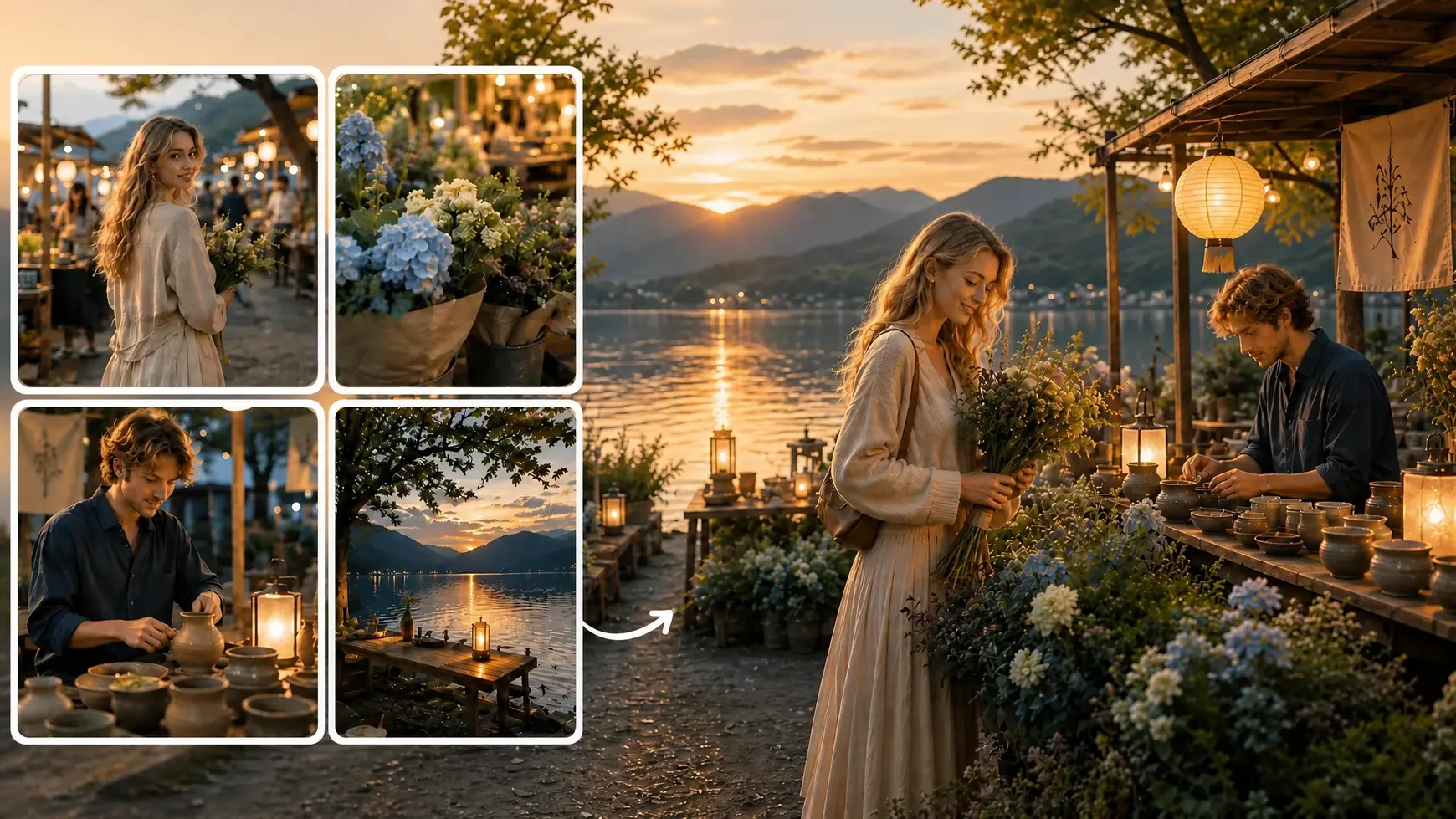
最多可加入 10 張參考圖,讓 Seedream 5.0 Flash 更精準理解你的想法。利用參考圖引導主體、場景、風格或構圖,並描述你希望這些元素如何組合。這是一種彈性的方式,幫助你探索不同搭配,也補足文字難以完整表達的細節。
為你的內容找到合適比例
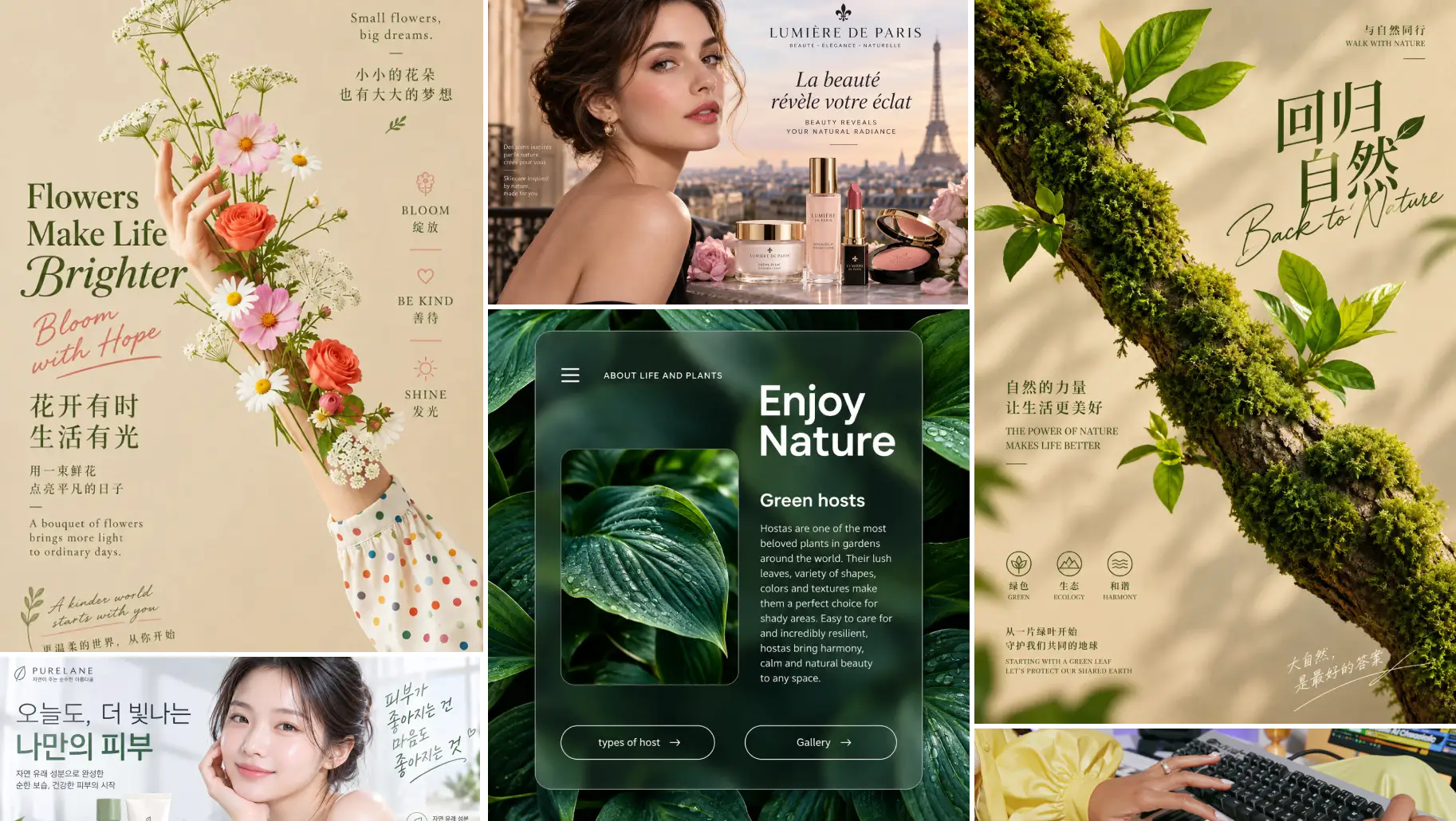
以彈性長寬比創建圖像,對應不同版面與平台需求。為網站橫幅選擇寬幅構圖,為產品展示選擇方形比例,或為社群內容選擇直式畫面。依照實際呈現位置來塑造視覺,讓格式從一開始就配合你的創意。
探索 Seedream 5.0 Flash 的使用情境


如何使用 Seedream 5.0 Flash
- 1
新增提示詞與參考圖
描述你想創建的圖像,或你希望做出的修改。上傳最多 10 張參考圖,引導主體、風格或構圖。
- 2
選擇圖像設定
在 AI Ease 中選擇 Seedream 5.0 Flash,接著挑選解析度與長寬比。生成最高 2K 圖像,並選擇符合專案需求的格式。
- 3
生成、微調並下載
生成圖像並預覽結果。透過調整提示詞或進一步編輯來細修細節,滿意後下載你最喜歡的版本。
常見問題
還有其他問題嗎?你可以寄信到 service@aiease.ai,我們會盡快回覆你。
What is Seedream 5.0 Flash?
Seedream 5.0 Flash is an AI image generation and editing model developed by ByteDance. It focuses on fast, cost-efficient creation and supports text prompts, image editing, multiple references, and output up to 2K.
Do I need design or editing experience?
No professional design experience is needed to get started. Describe what you want to create or change, add reference images if needed, and choose your settings. You can refine your instructions as you explore the results.
Can I edit an existing photo?
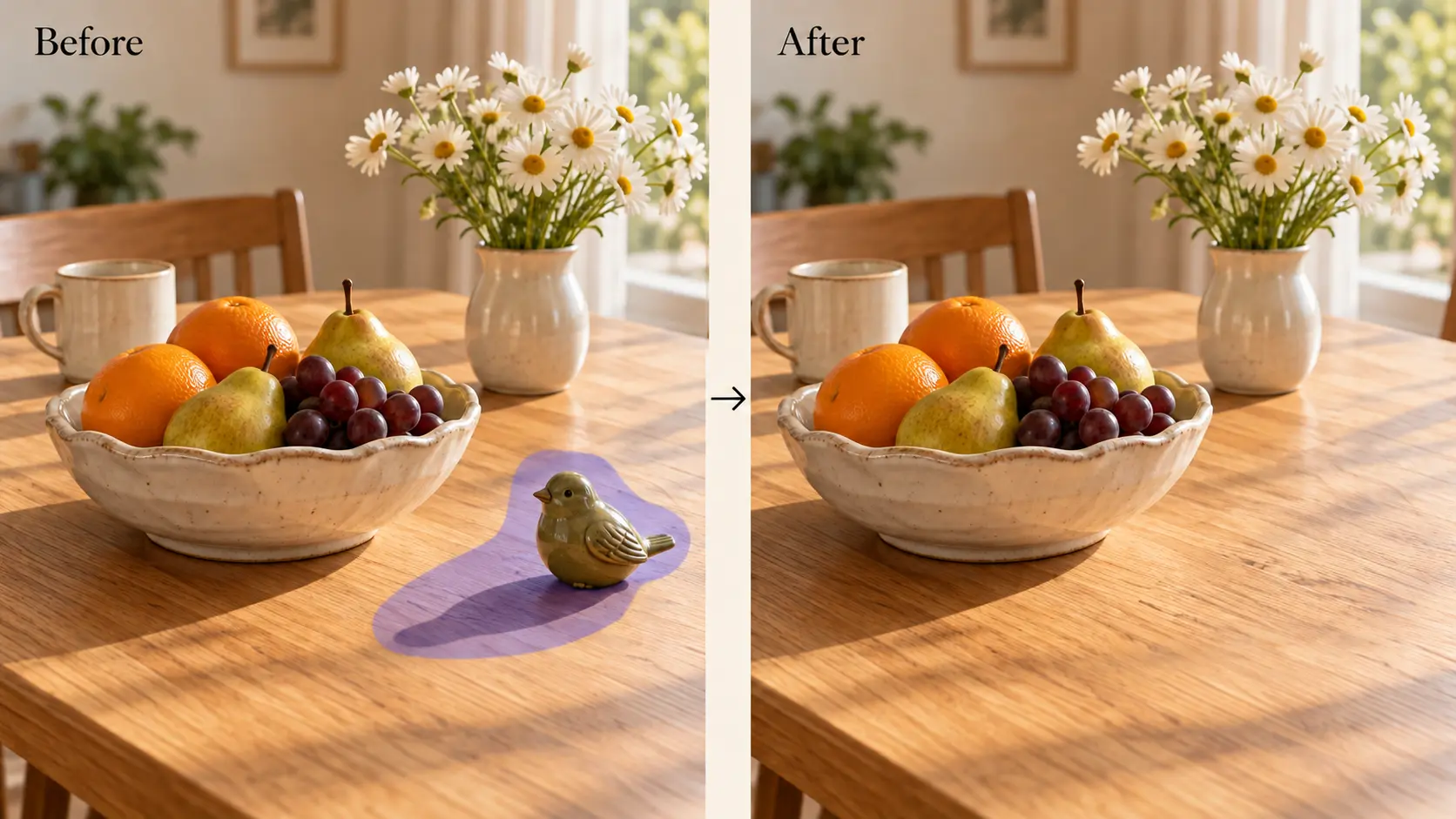
Yes. Upload your photo and describe the changes you want. You can request a different background, adjust colors, remove distracting elements, or explore another visual style while using the original image as a starting point.
How many reference images can I upload?
Seedream 5.0 Flash supports up to 10 reference images. Use them to guide the people, products, backgrounds, styles, or composition in your result. Explain the role of each reference so your instructions are easier to follow.
Can I combine elements from different images?
Yes. You can provide separate references for different parts of a composition. For example, combine a model photo, a clothing image, and a location reference, then describe how you want them to appear together.
What image styles can I create?
You can explore realistic photography, digital illustrations, anime-inspired artwork, cinematic scenes, and other visual styles through your prompt. Adding a style reference can help communicate the look you want more clearly.
Is Seedream 5.0 Flash suitable for product images?
Yes. You can create product scenes, lifestyle images, and promotional visuals using product references and prompts. Describe the setting you want, then review the result to check that important product details match what you sell.
How can I get better results?
Use a clear prompt with a specific subject and visual direction. Add relevant references instead of unrelated images, and explain what each reference should contribute. When refining a result, focus on a few changes at a time.