Best Nano Banana Alternative | AI Image Editor & Generator
Nano Banana AI model (also known as Gemini 2.5 Flash Image) stands as Google’s most advanced image generation and editing AI model. According to LMArena data, Nano Banana achieved the highest overall preference score among other models, including ChatGPT-4 and FLUX.1 Kontext, and Qwen Image Edit. This cutting-edge AI model has made waves on social media, topping leaderboards and setting new standards for AI-driven image editing. In this blog, you will learn what the Google Nano Banana is and the best Nano Banana alternative for AI image creation and editing.
What Is Google Nano Banana?
Google Nano Banana utilizes cutting-edge AI technology to transform ordinary photos into stunning, professionally edited images with a simple text prompt. Its intuitive interface lets you enhance portraits, landscapes, product photos, and more with just a few clicks. Describe your editing tasks in plain language, and let AI bring your vision to life.
Nano Banana AI model supports diverse editing styles, making it perfect for social media, websites, or print, which makes Nano Banana a great AI tool for content creators, photographers, designers, and anyone seeking to elevate their photo quality effortlessly.
Highlights of Google Nano Banana AI Model
- Character & Identity Consistency: Maintain the precise appearance of people, pets, or objects across multiple edits, no subtle shifts occur even when adjusting details like hairstyles, backgrounds, or outfits.
- Text/Image to Image Generation: Support text-to-image and image-to-image workflows, enabling you to generate new images based on prompts or transform existing images using intuitive command-driven edits.
- Prompt-Based, Natural Language Editing: Make precise edits using everyday language, such as “blur the background,” “remove a stain,” or “change the pose”, without masks, layers, or technical knowledge.
- Multi-Image Fusion: Blend multiple photos into a cohesive, unified scene (e.g., merging your selfies with pet photos) while harmonizing lighting, textures, and composition for photorealistic results.
- Multi-Turn Editing: Enable iterative and step-by-step visual optimization (e.g., painting walls, adding furniture, or refining details) while retaining all prior edits within a conversational workflow.
- Design Mixing & Style Transfer: Apply patterns, textures, or styles from one image to elements of another image, like petal textures on shoes, to achieve creative aesthetic fusions.
How to Use Nano Banana AI [Beginner’s Guide:]
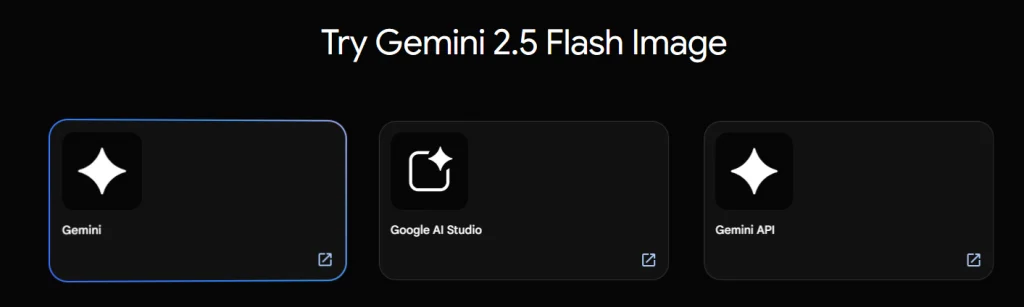
Google Nano Banana AI, known as Gemini 2.5 Flash Image, offers advanced AI image generation and editing through Gemini API, Google AI Studio, and Vertex AI. Although it’s built into Gemini’s ecosystem, you can try Nano Banana via LMArena AI, where you can compare outputs from different AI models. Here is a simple guide on how to use Nano Banana via lmarena.ai:
#1. Turn Text/Image into Image
The way to turn your text prompts into an AI image with Nano Banana is quick and easy. Just follow these steps to create stunning AI-generated images in seconds.
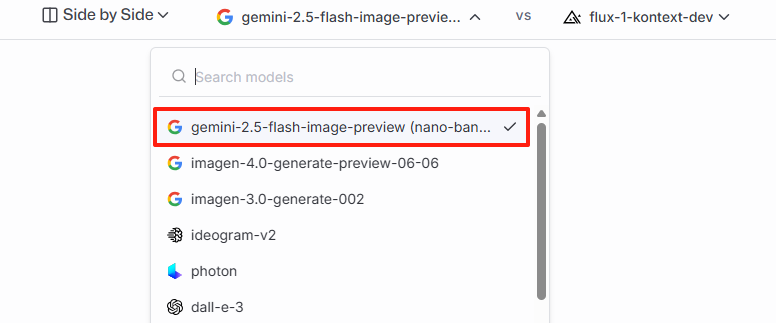
Step 1: Select the Nano Banana AI Model
In the Side by Side section, choose gemini-2.5-flash-image-preview (nano-banana) and pair it with another model for comparison.
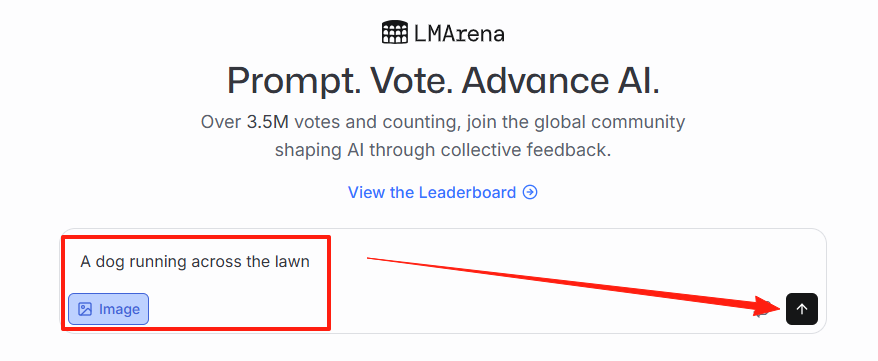
Step 2: Enter Text Prompt & Generate
Write your text prompt (or upload image reference) for AI image generation in the text box. Click Generate, and let Nano Banana AI model create an AI image from text.
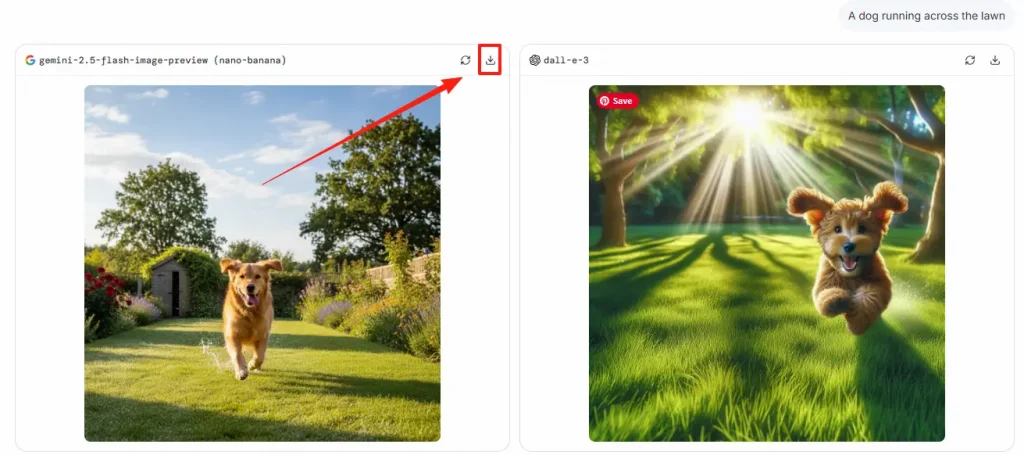
ステップ3: 写真をダウンロードする
Once the image is generated, preview it and click the download icon to save it to your device and share it anytime.
#2. Edit Image with Text Prompt
After your image is generated, you can refine or modify it by uploading it to edit your image with text prompt. Simply follow these easy steps:
Step 1: Choose the Nano Banana AI Model
Under the Side by Side section, select gemini-2.5-flash-image-preview(nano-banana) along with another model for comparison.
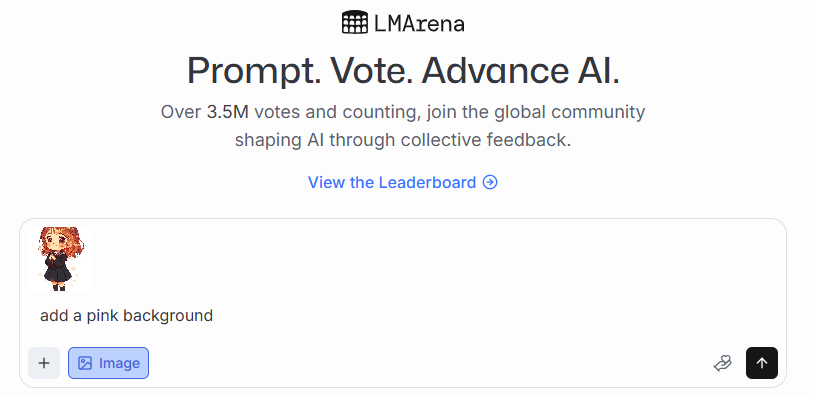
Step 2: Upload an Image & Add Your Prompt
Upload an image you want to edit or start fresh with generation > Enter the text prompt describing what you’d like to see.
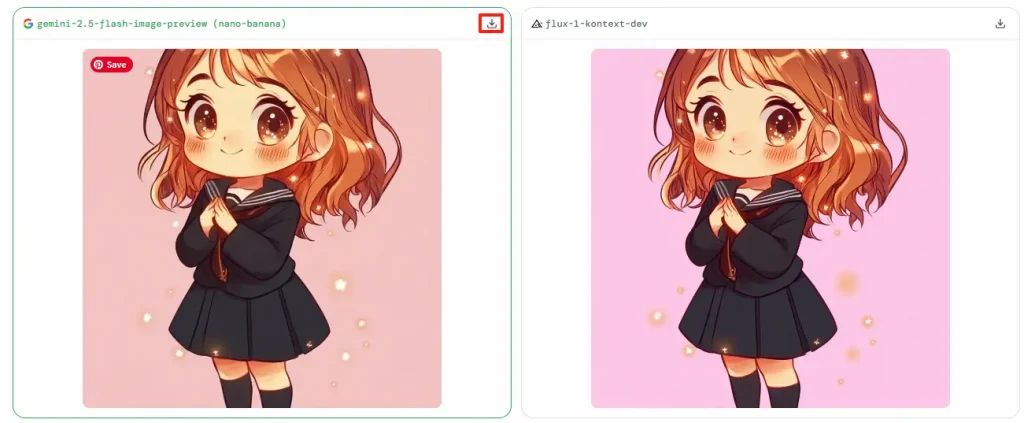
ステップ3:生成とダウンロード
Click Generate to let Nano Banana AI apply your instructions. When the image looks good, click the Download icon to save it to your device.
Best Nano Banana Alternative – AI Ease Image Generator & Editor
If you’re looking for a more flexible AI image editing and generation option beyond Nano Banana AI, you might be the right choice for you. Google’s Nano Banana AI is highly praised for its smooth editing workflow and reliable character consistency, but it may not suit all creative needs. AI Ease image editor and generator is an excellent alternative worth exploring. It combines creative AI tools such as text or image to image generator, manual and automatic AI photo editing tools including background removal, photo enhancement, and more.
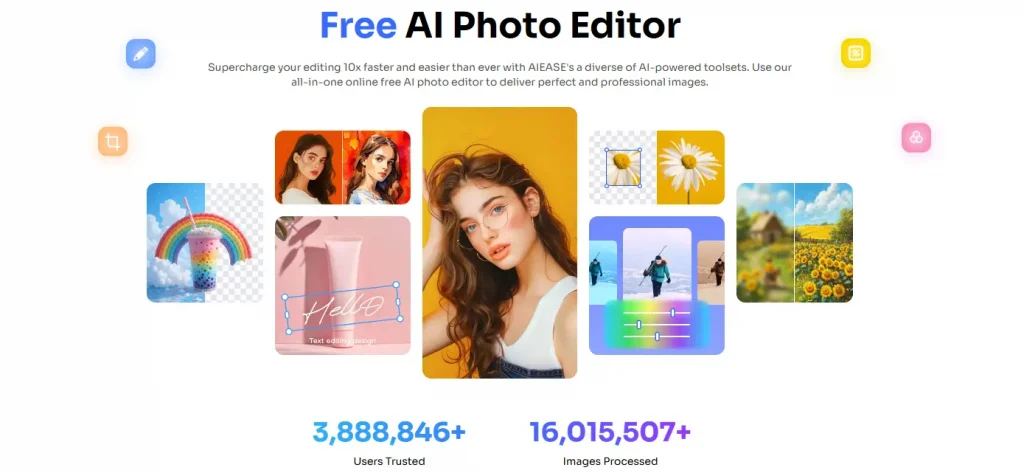
Highlights of AI Ease Image Generator & Editor
- Text/Image to Image Generation: AI Ease image generator allows you to enter a text prompt or upload an image to create high-quality, realistic, and imaginative images easily and quickly.
- Support Multi-Image Editing: Use AI Ease’s batch photo editor to edit multiple images with advanced AI tools, like background remover, photo enhancer, and more. Easily edit images online in bulk with one click.
- Maintain Character Integrity: AI Ease retains fundamental features, expressions, and proportions of people in images, perfect for illustrations, portraits, and storyboard creation.
- Extensive Suite of AI Tools: Access a wide range of AI-powered tools, including AI image extender, image upscaler, and hair color changer for professional-grade image creation.
- Rapid and Accessible Editing: Enjoy rapid processing speeds and an intuitive interface, enabling users of all skill levels to swiftly generate, edit, and optimize images.
How to Use AI Ease Image Generator & Editor [Quick Guide]
AI Ease makes creating and editing images effortless with its powerful AI-driven tools. Whether you want to generate unique visuals from text prompts or edit photos online, this quick guide walks you through each step to get started easily.
#1. Generate AI Images with AI Ease
Turn your ideas into stunning visuals in seconds using AI Ease’s free image generator. Click the Generate for Free button, and follow these simple steps to create images.
Step 1: Enter Your Text Prompt
Type in your text prompts in the input box (or upload an image reference). The more descriptive your prompts are, the more detailed and refined your generated images will be.
ステップ2:スタイルと設定を選択する
Browse the style library to select your preferred artistic style. You can also adjust the aspect ratio and choose how many images to generate at once.
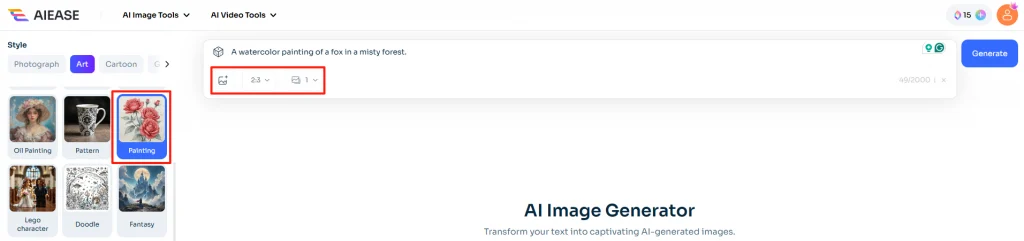
ステップ3:画像を生成してダウンロードする
Click the Generate button, and AI will instantly create your images. Once satisfied, download and share them with just one click.
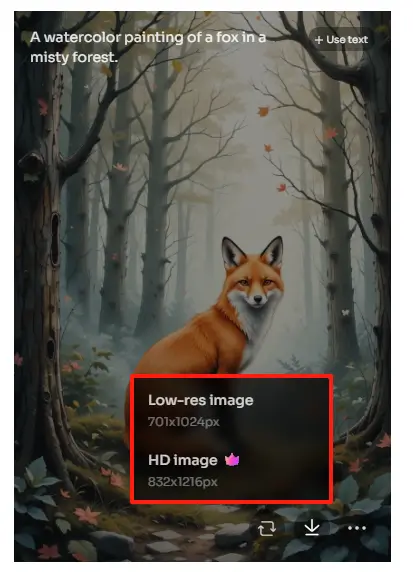
#2. Edit Photos with AI Ease
Beyond generation, AI Ease serves as a versatile photo editor. Click the Edit Photos Now button to upload images and make quick edits with professional-quality results.
ステップ1:画像をアップロードする
Simply upload the photo you want to edit into AI Ease’s online AI photo editor.
ステップ2:写真を編集する
Enhance your image with ease – remove the background, resize, add text, stickers, or make other creative edits to fit your needs.
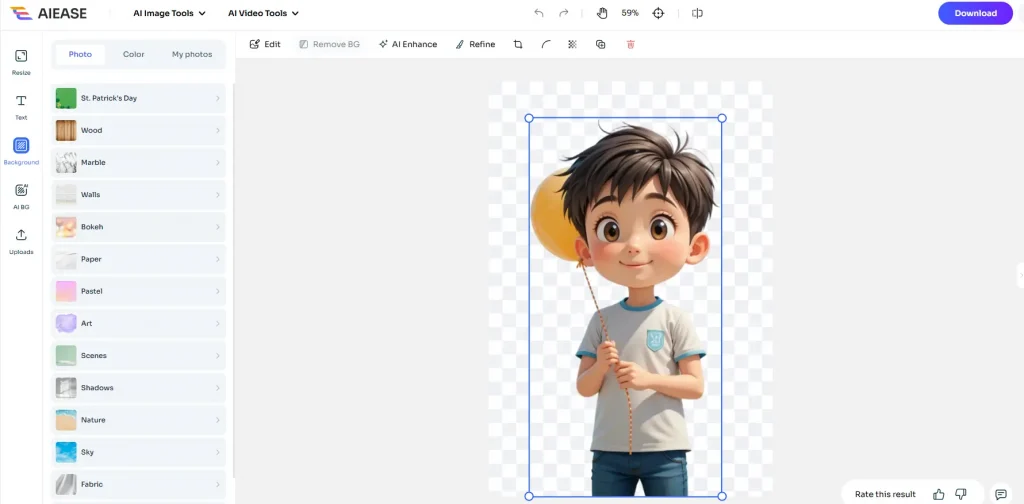
ステップ 3: 画像をダウンロードする
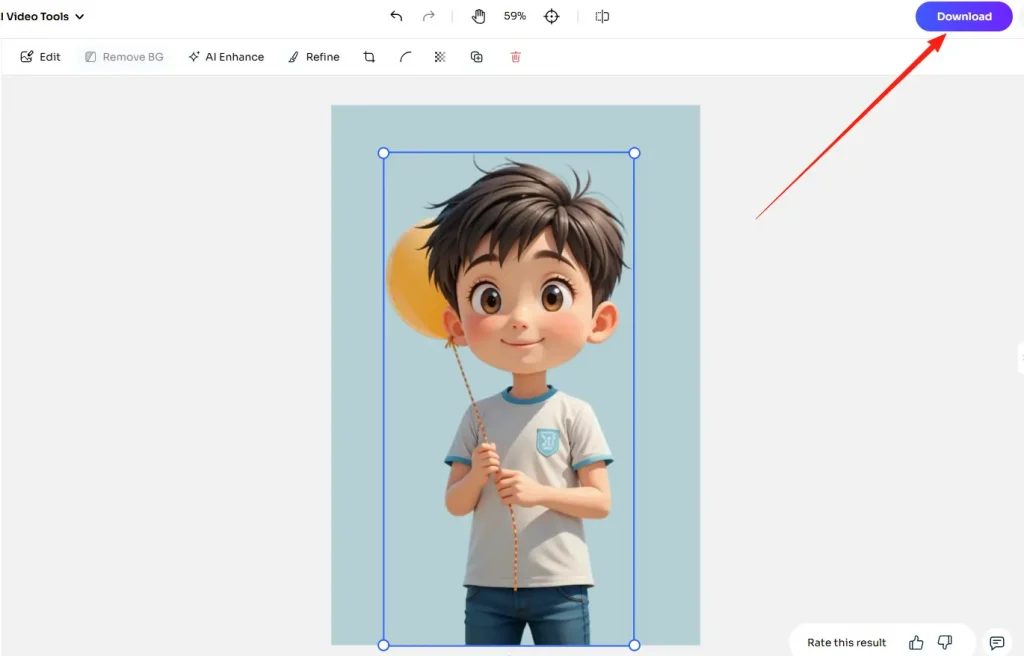
Once your edits are complete, save and download the finished image in high quality.
If you want to explore even more, visit aiease.ai to try AI filters like photo to cartoon, Ghibli-style effects, hairstyle changers, and a wide variety of other creative AI tools.
結論
Google Nano Banana (Gemini 2.5 Flash Image) is undoubtedly one of today’s most advanced AI image editing and generation models, offering unparalleled precision and consistency. However, if you’re seeking a versatile, user-friendly, and easy-to-use Nano Banana alternative, AI Ease is the perfect choice. With its rich editing tools, text-to-image capabilities, and batch processing features, AI Ease empowers you to easily create and optimize visual content. Try AI Ease today and effortlessly turn your ideas into stunning images.