• 家
  • AI視頻
    • 文字轉視頻
      使用 AI 將您的文字變成令人驚嘆的影片。
    • 圖像轉視頻
      將靜態圖像轉換為動態、引人入勝的視頻。
    • 視頻效果
      只需單擊一下,即可將您的圖像變成病毒式視頻。
      • AI親吻生成器
      • AI擁抱生成器
      • AI舞蹈生成器
    • 支援的人工智慧模型
      • Kling 2.6 Motion Control
      • Veo 3.1
      • Sora 2.0
      • Kling 2.6 Pro
      • Kling 2.1 Master
      • Hailuo 2.3
      • Seedance 1.5 Pro
      • Wan 2.5
  • 視覺特效
  • AI圖像
    • 以圖生圖
      只需描述您想要在圖像中更改的內容。
    • 文字轉圖片
      將您的想法轉化為任何風格的令人驚嘆、逼真的 AI 圖像。
    • 支援的人工智慧模型
      • Nano Banana Pro
      • Seedream 4.5
      • 納米香蕉
      • 通量 Kontext
  • 人工智慧工具
    • 相片編輯與創作工具
    • 照片增強器
    • 物件移除器
    • 浮水印去除器
    • 背景去除劑
    • AI背景
    • 照片修復
    • AI擴展器
    • 人工智慧替換器
    • AI重新著色
    • AI 風格圖片生成器
    • 肖像工具
    • 髮型更換器
    • 換衣服
    • AI寶貝
    • AI濾鏡
    • 換臉
    • 爆頭生成器專業版
    • AI頭像生成器
    • 護照照片製作工具
    • 視頻工具
    • 視頻效果
    • 視頻增強器
    • 影片換臉
    • 影片浮水印去除器
    View All
  • 定價
家
AI視頻
    文字轉視頻
    圖像轉視頻
  • 視頻效果
    • AI親吻生成器
    • AI擁抱生成器
    • AI舞蹈生成器
  • 支援的人工智慧模型
    • Kling 2.6 Motion Control
    • Veo 3.1
    • Sora 2.0
    • Kling 2.6 Pro
    • Kling 2.1 Master
    • Hailuo 2.3
    • Seedance 1.5 Pro
    • Wan 2.5
視覺特效
AI圖像
    以圖生圖
    文字轉圖片
  • 支援的人工智慧模型
    • Nano Banana Pro
    • Seedream 4.5
    • 納米香蕉
    • 通量 Kontext
人工智慧工具
  • 相片編輯與創作工具
    • 照片增強器
    • 物件移除器
    • 浮水印去除器
    • 背景去除劑
    • AI背景
    • 照片修復
    • AI擴展器
    • 人工智慧替換器
    • AI重新著色
    • AI 風格圖片生成器
  • 肖像工具
    • 髮型更換器
    • 換衣服
    • AI寶貝
    • AI濾鏡
    • 換臉
    • 爆頭生成器專業版
    • AI頭像生成器
    • 護照照片製作工具
  • 視頻工具
    • 視頻效果
    • 視頻增強器
    • 影片換臉
    • 影片浮水印去除器
定價
跳至主要內容

Home » remove object from photo » Remove Tattoo from Photo

Remove Tattoo from Photo Online Free

Seamlessly remove tattoo from photo with AI Ease’s object remover. Our tool flawlessly erase any unwanted ink with just a few simple clicks. Try magic AI to get natural & professional tattoo-removed images in seconds.

Remove Tattoo from Photo
AI Ease App Store 下載
AI Ease Google Play 下載
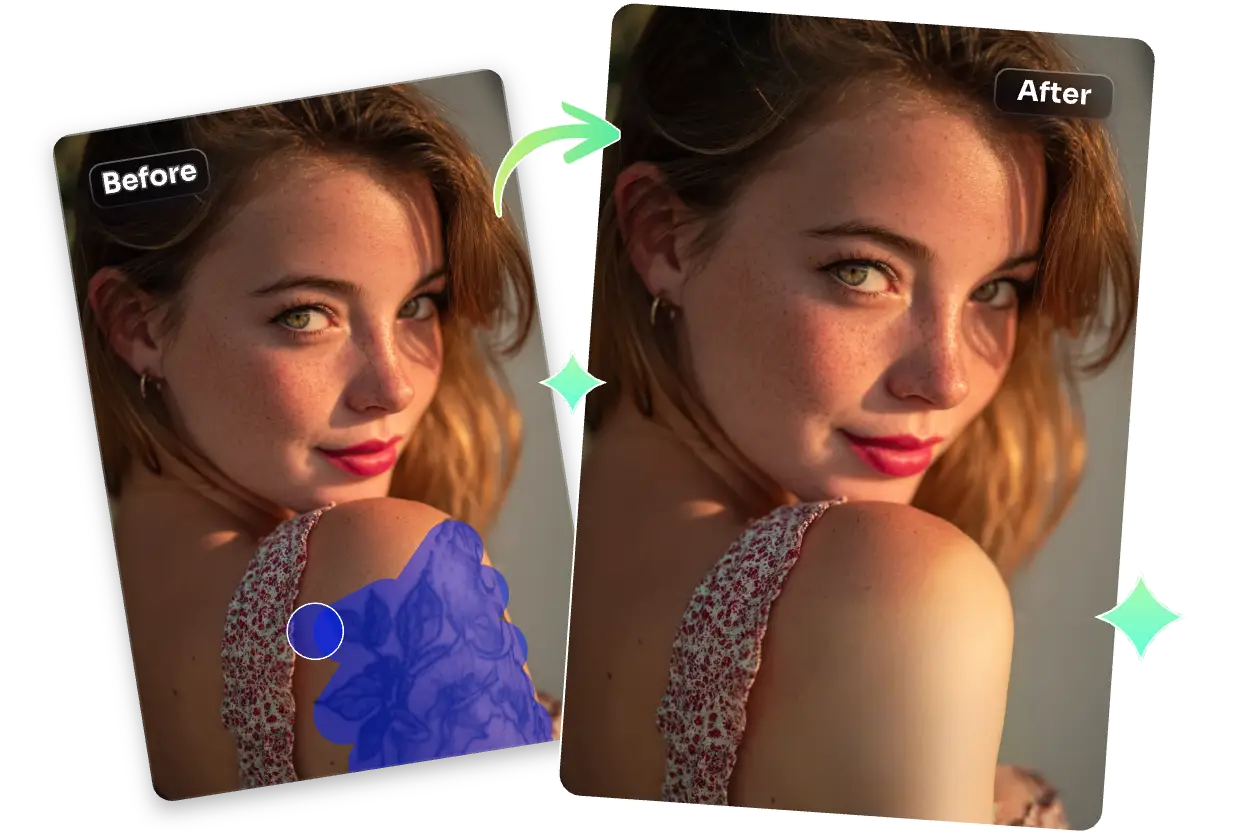
before and after effects of using ai ease to remove tattoo from a woman photo

Preset Tattoo-Free Pictures for Any Professional Use

AI Ease’s magic eraser makes it easy to remove tattoo from photo, whether it’s for resumes, portfolios, corporate bios, product advertising, or more sessions. Our free tattoos removal AI preserves skin texture and lighting while seamlessly erasing ink, so your photo looks natural, confident, and ready for any opportunity.

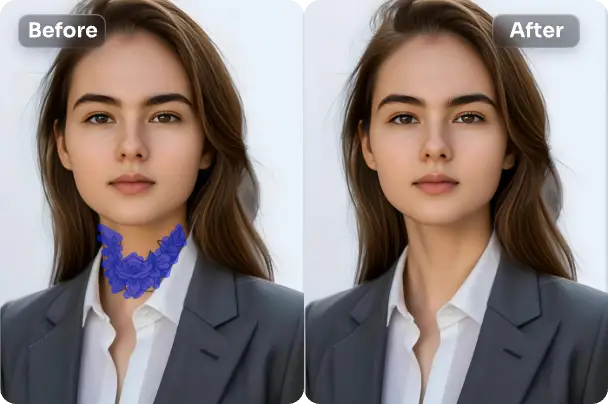
before and after effects of remove tattoo from a female resume photo

Resumes

A photo that aligns with workplace norms can leave a strong first impression on recruiters. With AI Ease, you can easily create tattoo removal photos to show your professionalism and confidence.

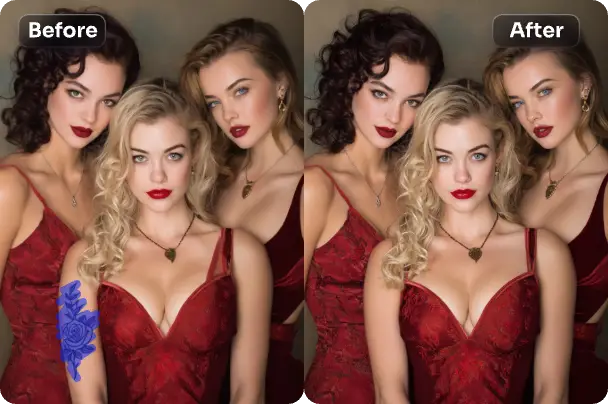
before and after effects of using ai ease to remove tattoo from three girls group photo

Portfolios

Whether you’re an artist, designer, photographer, or model, AI Ease helps you quickly clear tattoos online for free so your work stays in focus. Let your portfolio showcase your talent.

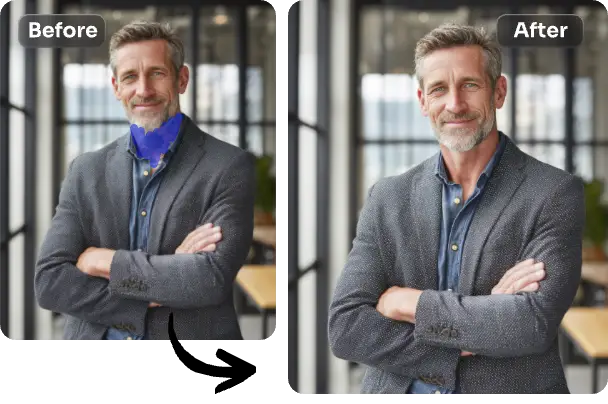
before and after effects of removing a tattoo from a man's formal business photo with ai ease

Corporate Profiles

Avoid unnecessary controversy in your professional image with AI Ease. Seamlessly remove tattoo from photo used on websites, press kits, or LinkedIn.

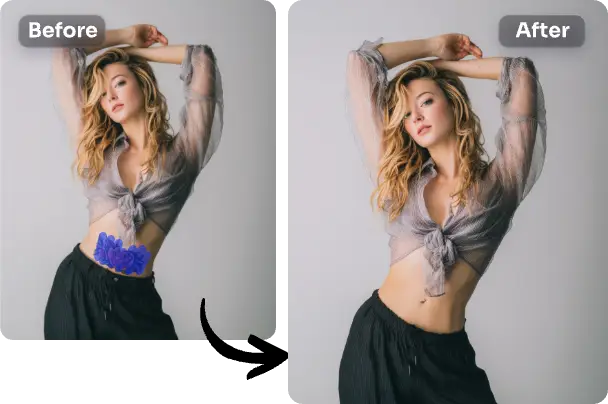
before and after effects of a tattoo being removed from the fashion female model's abdomen

Product Advertising

Showcase your products, not tattoos. Get rid of tattoo from model images and create clean, on-brand visuals that draw attention to what’s really important.

Remove Tattoo from Photo
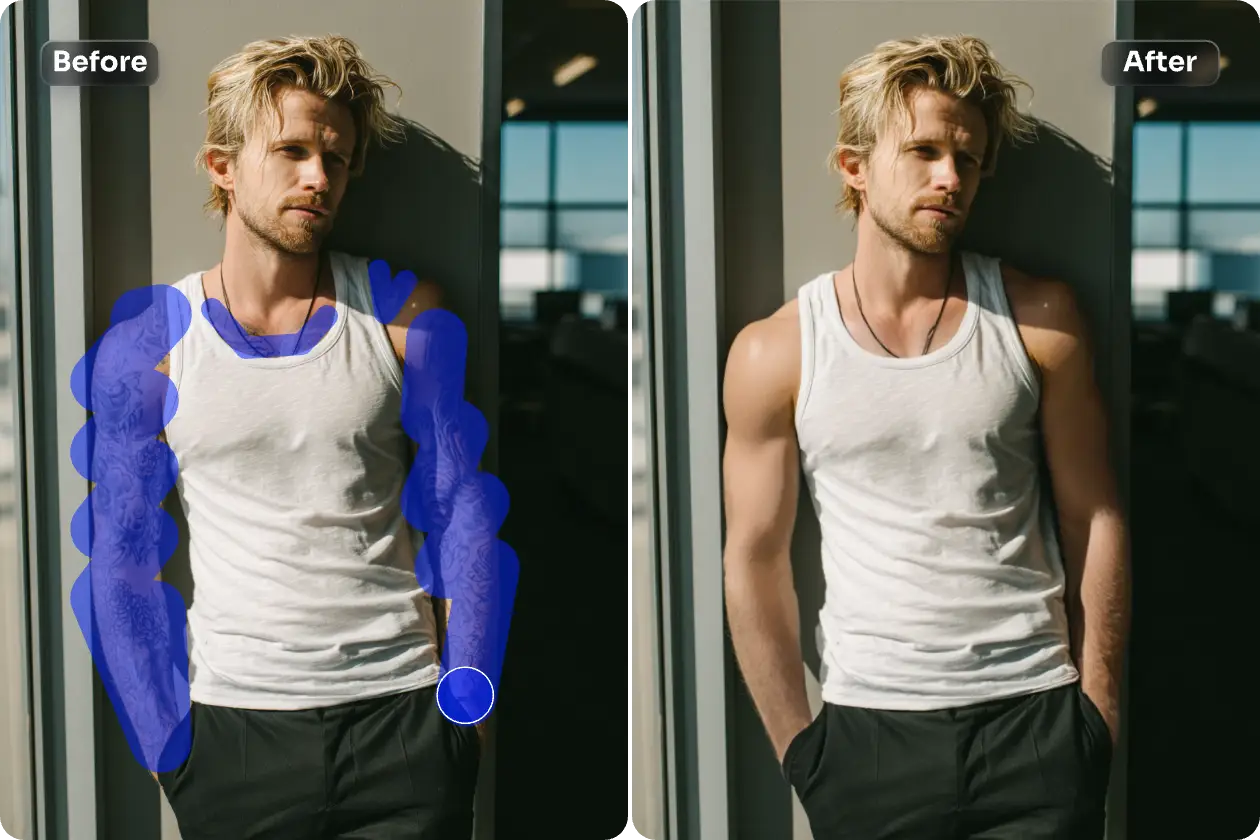
before and after effects of using ai ease to remove tattoos from a man's arms

Magically Remove Tattoo from Photo in Seconds

Need to remove tattoos from formal photos but don’t have time for reshoots? With AI Ease online object eraser, removing tattoos from photos is fast, simple, and at home. No Photoshop skills or complex steps needed, lightly brush over the tattoo, and our powerful AI tattoo eraser will generate a realistic preview of the result. In just seconds, you’ll get a natural-looking preview of your skin, as if the tattoo were never there.

Remove Tattoo from Photo

Flawless Tattoo Removal Tool with Precise AI

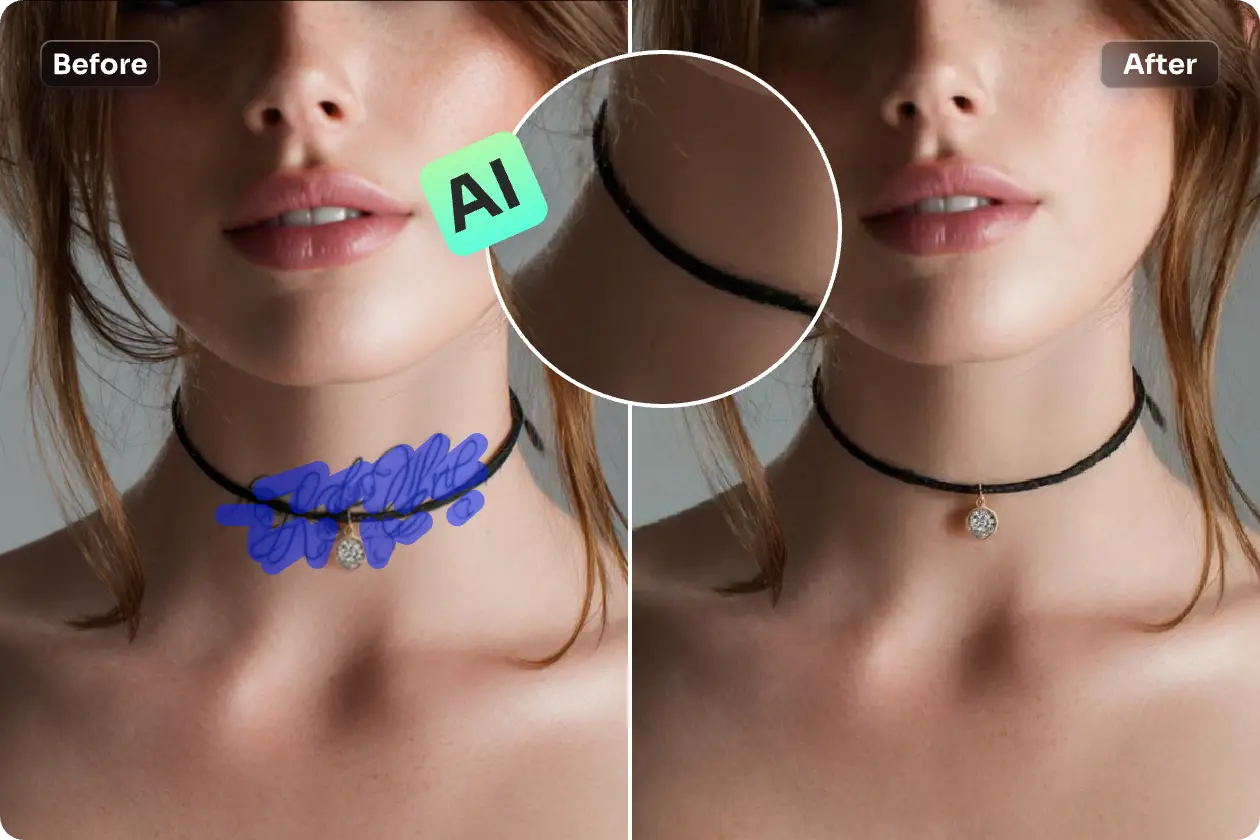
AI Ease’s AI tattoo removal tool uses advanced AI technology to erase tattoo marks precisely. While removing the ink, it preserves the skin’s natural texture and tone. Whether you want to delete tattoos on the arm, collarbone, or any other area, AI Ease ensures no visible marks or distortion. The pictures of tattoo removal retain the original lighting and color, making it perfect for professional use.

Remove Tattoo from Photo
before and after effects of using ai to remove neck tattoo from a female photo
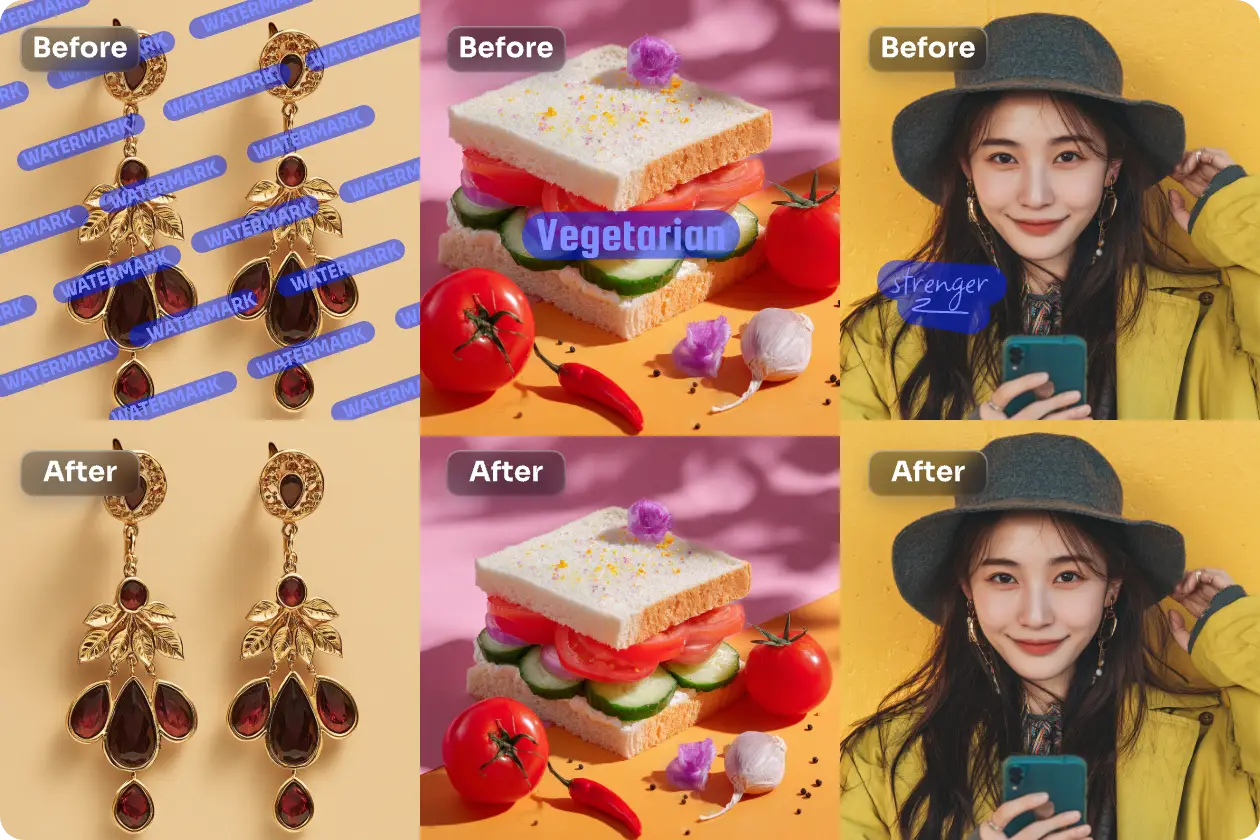
3 sets of before and after comparison pictures of removing watermarks, logos, and signatures with ai ease

Effortlessly Remove Any Unwanted Objects, Watermarks, People

AI Ease does more than remove tattoo from photo. It is an all-in-one photo cleaner that allows you to remove any unwanted elements from photos. Whether you want to remove people from the background, or erase text and watermarks, our AI can intelligently detect and fill in the corresponding areas to create a seamless effect. Try AI Ease’s online free remover today and upgrade your photos with professional-quality results!

Remove Tattoo from Photo

How to Remove Tattoos from Photos with AI

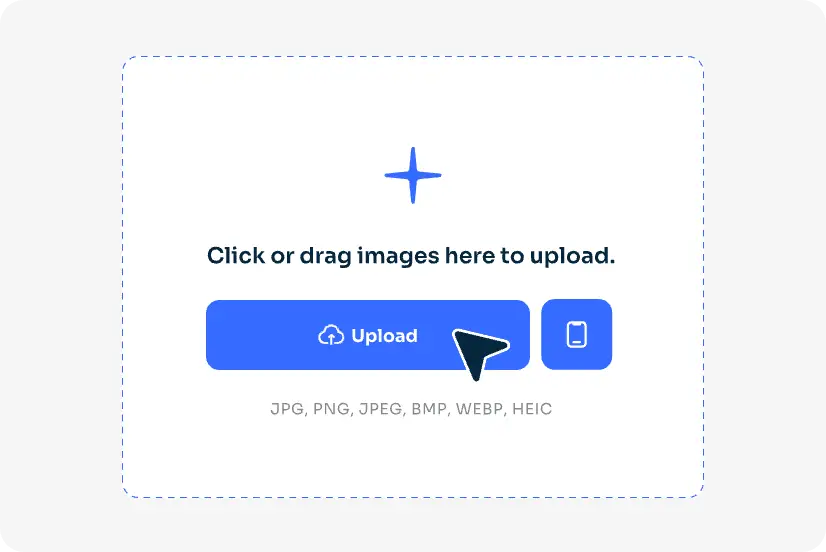
step of removing tattoo from photo with ai ease by uploading a photo

第 1 步:上傳相片

Upload or drag and drop the photo you want to edit tattoos out of photos.

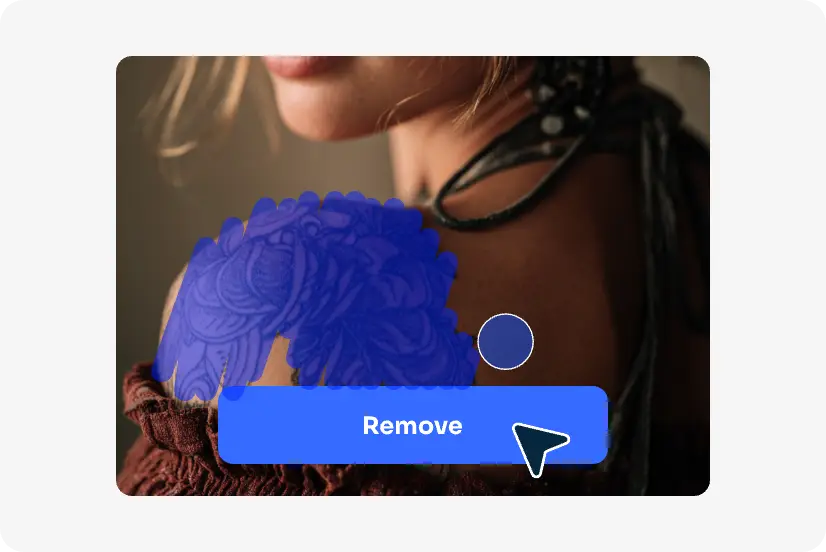
the step of tapping remove to remove tattoo from photo with ai ease

Step 2: Brush and Tattoo Removal

Use our brush tool to mark the tattoo you wish to eliminate, and you can refine it with our eraser tool. Then tap the “Remove” button.

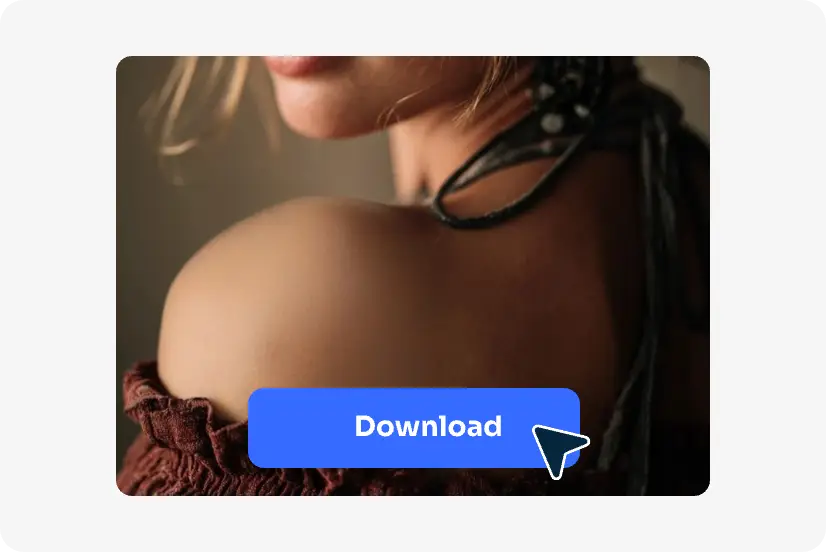
the step of downloading the picture with tattoo free by ai ease

步驟 3:下載影像

AI Ease will process your image in around 5 seconds. Once satisfied, preview and download the tattoo-removing image.

Remove Tattoo from Photo

常見問題解答

還有其他問題? 您可以向 service@aiease.ai 發送電子郵件,我們很樂意為您提供説明。

1. How to remove tattoos from photos on iPhone?

You can easily remove tattoos using the AI Ease mobile tattoo removal app or directly remove tattoo from photo online free. It supports both iPhone and Android, allowing you to erase tattoos in seconds.

2. Can I change or edit my tattoo in a photo?

Yes! If you want to replace or edit existing tattoos with a new one, try our AI object replacer. You can also create new tattoo ideas with our AI tattoo generator before adding tattoos to photo online.

3. How long does AI Ease take to remove an object?

AI Ease removes tattoos and other unwanted objects in as fast as 3-5 seconds, depending on your internet speed and image size. The tattoo cut out process is instant and fully automated.

4. Is it safe to upload my photo to remove a tattoo?

Yes. AI Ease values your privacy. All uploaded images are processed securely and are not stored or used for any other purpose. It is safe for LinkedIn, portfolios, or professional photography, etc.

Try More AI Photo Editing Tools by AI Ease

使用 Ai Easy 4k 照片編輯器增強照片的前後效果

4K 照片編輯器

clean up the clutter of picture for free with ai ease

清理圖片

像魔術一樣從影片中刪除人物的前後效果

從影片中刪除人物

GET IT ON
Google Play
AI 影片工具
  • 文字轉視頻
  • 圖片轉換為視訊
  • 視覺特效
  • 影片增強工具
  • 視訊換臉
  • 視訊水印移除程式
  • AI 舞蹈影片生成器
  • AI 擁抱影片產生器
  • AI 親吻影片產生器
  • Baby Dance AI 影片生成器
  • 更多工具
AI 影片模型
  • Veo 3.1
  • Sora 2.0
  • Seedance 2.0
  • Seedance 1.5 Pro
  • Seedance 1.0
  • Kling 3.0
  • Kling 2.6 動態控制
  • Kling 2.6 專業版
  • Kling 2.1
  • Hailuo 2.3
  • Wan 2.5
  • Wan 2.2
  • 更多模型
AI 圖像工具
  • 文字轉圖片
  • 以圖生圖
  • 影像濾鏡
  • 照片增強器
  • 影像延伸工具
  • 圖片換臉
  • 圖片浮水印去除工具
  • 物件移除工具
  • 物件替換工具
  • AI 寶寶生成器
  • 修復老照片
  • 更多工具
AI 影像模型
  • Nano Banana 2
  • Nano Banana Pro
  • 奈米香蕉
  • Gemini 3
  • Seedream 4.5
  • Seedream 4.0
  • Flux Kontext
  • Qwen Image
  • 更多模型
資源
  • 關於我們
  • 聯絡我們
  • 價格
  • 常見問題
  • 部落格
  • 隱私權政策
  • Cookie 政策
  • 服務條款
  • 退款政策
© 2023 - 2026 Grand Vision Tech Software Limited. All rights reserved.
中文 (繁體)
註冊或登入以開始使用
每日免費點數
免費AI圖片生成
免費AI圖片編輯
隨時免費下載圖片
使用Google繼續
使用Apple繼續
或
使用電子郵件繼續
繼續即表示您同意我們的
服務條款和隱私政策。
我們使用Cookie來提供更好的體驗。繼續即表示您已閱讀、理解並同意我們的 Cookie政策