Character Image
Free Kling 2.6 Motion Control Online
Kling 2.6 Motion Control lets you generate character videos with precise control over actions, expressions, lip sync, and gestures. It supports up to 30 seconds of complex motion in one shot. Upload your motion reference and image reference to give it a try.
Maintain the same movements as the reference video, with the female character dancing.
HistorySee All
Maintain the same movements as the reference video, with the female character dancing.
Your videos generation history will appear here.
Inspirations
See AllHave Full Control over Your Video With Kling 2.6 Motion Control
Generate Character Videos from Static Images
Want more precise control over AI-generated videos? Kling VIDEO 2.6 Motion Control is an ideal choice. This AI model gives you full control over character performance. Therefore, you can accurately animate your characters' body movements, facial expressions, and lip sync.
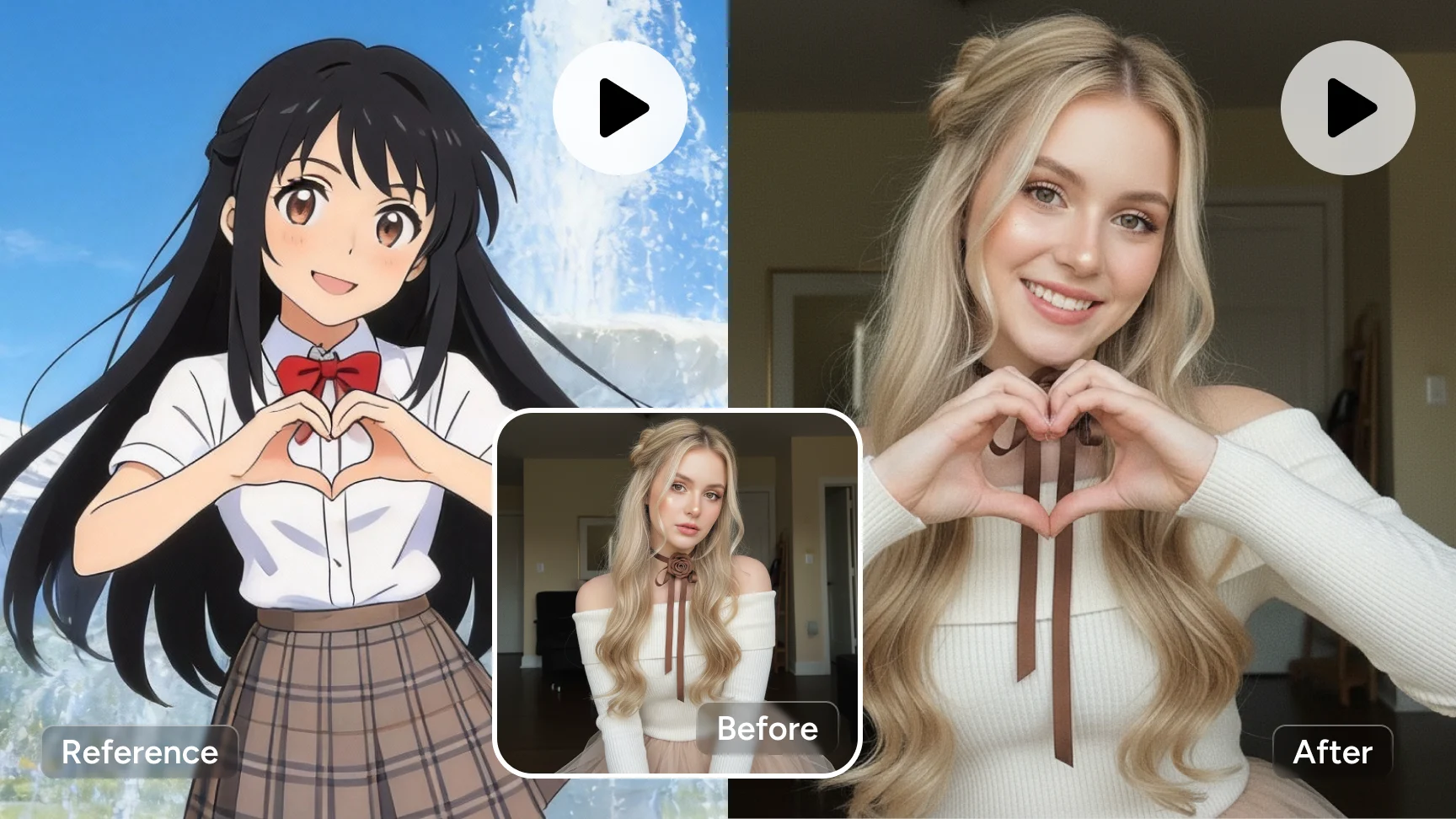
Advanced Motion Transfer
With Motion Control, you can transfer movements from a reference video onto a static image. The system recreates realistic motion, making even complex sequences appear smooth and lifelike. It’s perfect for turning a single image into a fully animated character.
High-Fidelity Detail Rendering
This model captures fine details with impressive accuracy. Hand and body movements remain fluid and accurate, making actions like playing the piano, snapping fingers, or performing gesture dances look natural. Popular motions can be reused easily with consistent quality.
Up to 30 Seconds of One-Shot Video
It supports long-form generation of up to 30 seconds in a single shot, maintaining stable motion, expressions, and lip sync throughout. So it helps creators to produce longer scenes without manual adjustments. It’s ideal for storytelling, character animation, and high-quality AI video production.
How to Create a Video with Kling 2.6 Motion Control
- Step1
Upload an Image and a Reference Video
Start by uploading an image as your main character and a reference video. The reference video provides the motion, expressions, rhythm, and camera movement that will be transferred to the generated-video.
- Step2
Adjust Settings
You can choose "Match Video Orientation" or "Match Image Orientation", which will determine how closely the video follows the reference and influence the final video effect.
- Step3
Download and Share
Once your video is ready, take a preview to make sure it looks great. Then download it in high quality and share it on social media, or use it in your projects.
Frequently Asked Questions
Have more questions? You can email service@aiease.ai, and we'll be happy to help you.
What is Kling 2.6 Motion Control?
Kling 2.6 Motion Control is an AI video generation model designed to map the actions, expressions, and gestures from a reference video onto a target character image. It offers precise control over generated video and supports up to 30 seconds of one-shot generation.
What kind of video is Kling 2.6 Motion Control best for?
Kling 2.6 Motion Control is best for character-driven videos, such as animated storytelling, talking characters, performance clips, ads, and social media content. It works especially well for videos that require accurate gestures, expressive faces, and smooth, natural movement.
Who Should use Kling 2.6 Motion Control?
This model is ideal for content creators, marketers, animators, and developers who need precise motion control. It’s especially useful for users who want to animate characters consistently without manual keyframing or complex animation workflows.
Can I generate videos from images with Kling 2.6 Motion Control?
Yes. Kling 2.6 Motion Control supports image-to-video generation using a motion reference video. By uploading a static image and a motion video, you can animate the character with accurate movements and expressions. You can also add text prompts to guide the generation and achieve more precise and customized results.
Does Kling 2.6 Motion Control support lip sync?
Kling 2.6 Motion Control supports accurate lip-sync generation when used with a reference video. Mouth shapes and facial movements follow the original performance closely, producing natural and realistic lip-sync.