How Will I Look with Bangs? Try Bangs Filter Online & Tips
Are you considering getting bangs but not ready to commit to a cut? Wondering “how will I look with bangs”? Now you can try different fringe styles risk-free with an AI bangs simulator.
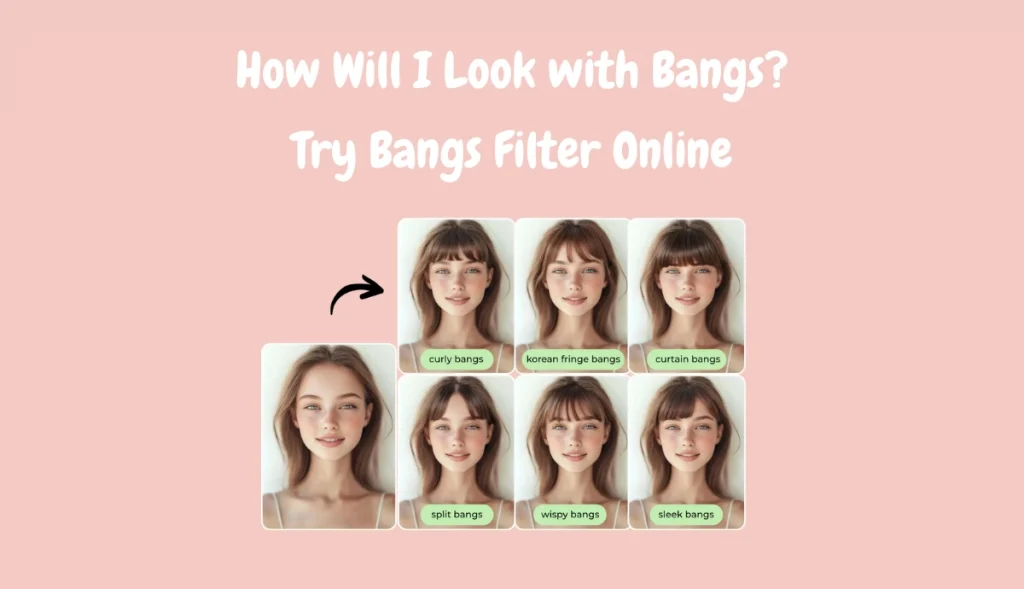
From trendy curtain bangs hair to soft, wispy cuts, the online bangs try-on tool lets you see your new look instantly. This guide will show the best bangs filters and explore the perfect hairstyles with bangs for your face shape.
See How You’d Look with Bangs – Without Cutting Your Hair
Whether you’re just curious or planning a fundamental change, the bangs generator will help you find the perfect haircuts with bangs.
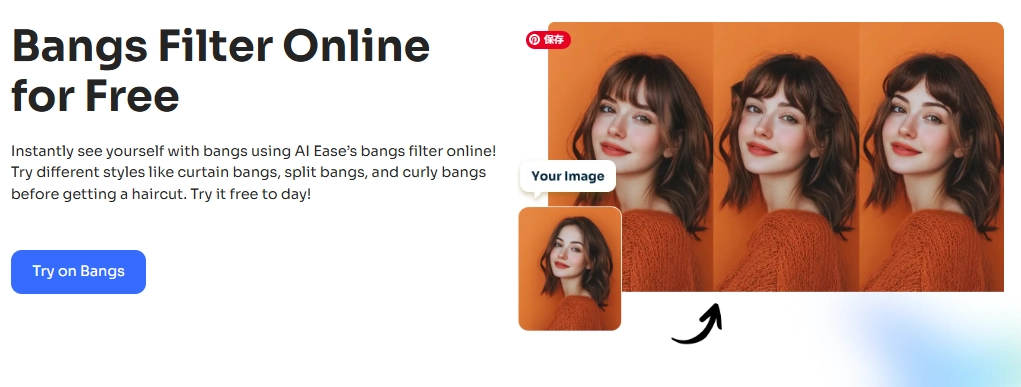
If you’re wondering”how will I look with bangs?”, AI Ease‘s bangs filter offers one of the easiest and most realistic ways to find out. This free online bangs simulator utilizes AI to instantly add virtual bangs to your photo.
Key Features
- Easy to Use. Visit AI Ease online, upload your photo and describe the bangs you want.
- Custom Bangs Styles. You can type any prompt to try any bangs style you can imagine.
- Realistic Results. You can experience high-quality, natural-looking bangs generated by AI.
- Risk-Free Preview. This free bangs filter helps you see how you’d look before visiting the salon.
How to Add Bangs to a Photo with AI Bangs Simulator
Now, let’s explore the easiest ways to try bangs virtually and know the answer to “how would I look with bangs”!
Method 1. Add Bangs to a Photo Automatically Online
Will bangs look good on me? Looking for the fastest way to see yourself with bangs? AI Ease’s automatic bangs AI does all the work for you. This cutting-edge AI can recognize the facial structure and naturally blend new hairstyles into your photos.
Step 1. Visit the AI Ease’s AI Ease bangs filter page. And click the Upload icon to upload your picture.
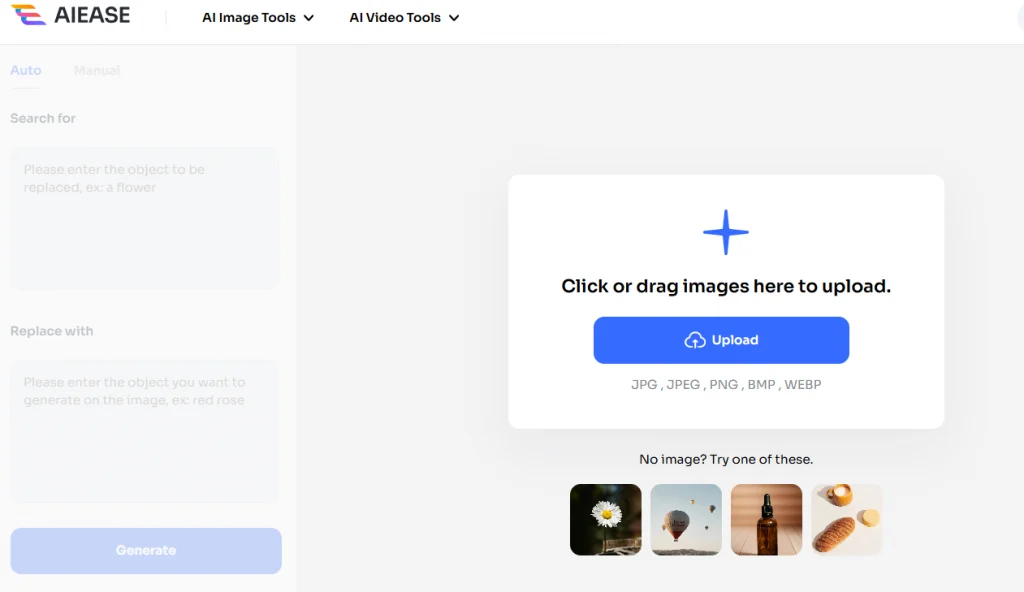
Step 2. Click the Auto icon. In the “Search for” box, enter a keyword to identify the part you want to replace (try “forehead,” for example).
Step 3. In the “Replace with” box, describe the bangs you want to try (e.g., curtain bang hairstyles, blunt bangs, wispy bangs).
Step 4. Then tap the Generate button, and AI Ease will automatically add bangs to the photo.
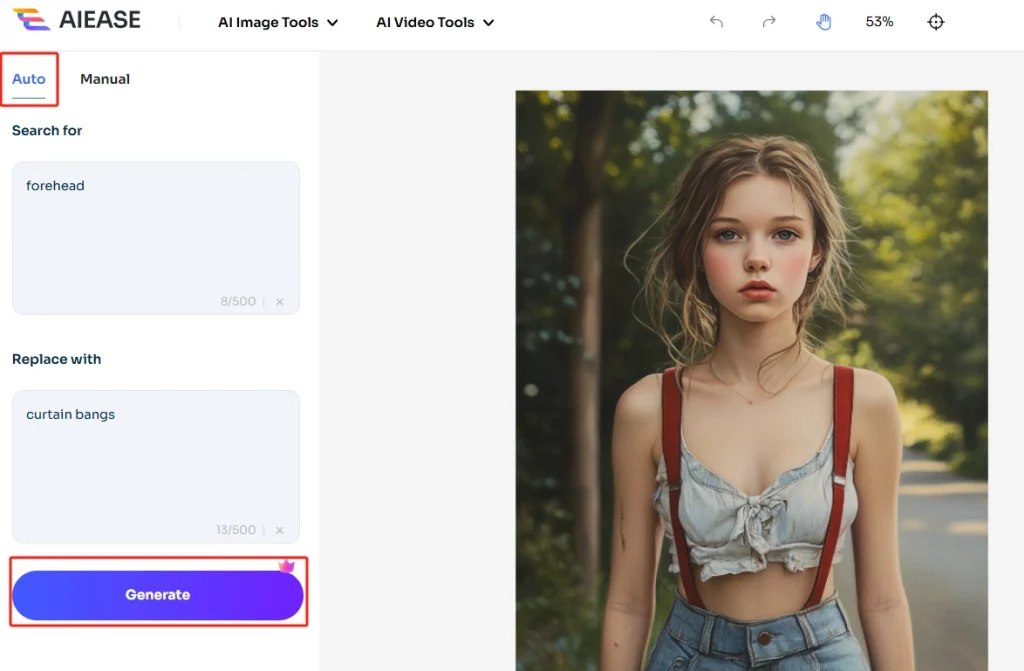
Step 5. Download or compare different styles until you find one you love.
Method 2. Customize Bangs Manually Online with AI
Want more control over the placement or style of your bangs? Try on bangs with the Manual mode on AI Ease. Brush over your forehead area, and describe the kind of bangs you want. This option is perfect if you want to fine-tune where the bangs appear or explore more creative, personalized hairstyles.
How would I look with bangs filter online:
Step 1. Go to AI Ease bangs filter and choose a front-facing photo where your forehead is visible for best results.
Step 2. Click the Manual tab. Use the Brush or Rectangle tool to highlight the forehead area where you want the bangs to appear.
Step 3. In the prompt box, type the bangs style you want to try. Examples:
- “curtain thin bangs with soft waves”
- “straight across bangs for oval face”
- “airy wispy bangs”
Step 4. Click Generate to see what you look like with bangs. AI will apply your requested bangs style to the selected area. Wait a few seconds to see the result.
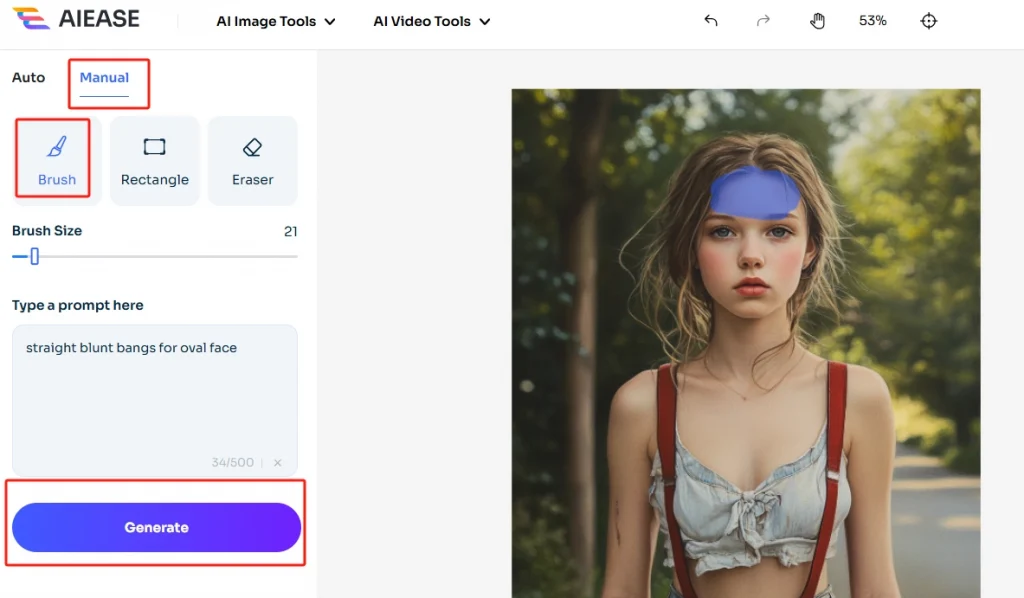
If you want to try more bangs styles, you can use different prompt words or use the eraser to fine-tune your selected area. Come and try using AI Ease.
Method 3. Try on Bangs with YouCam Online
YouCam also offers an AI bangs simulator online with preset options. It’s easy to use, but compared to AI Ease, it offers fewer customization features and doesn’t support text prompts. If you want a quick preview, then you can choose the bangs style this tool provides.
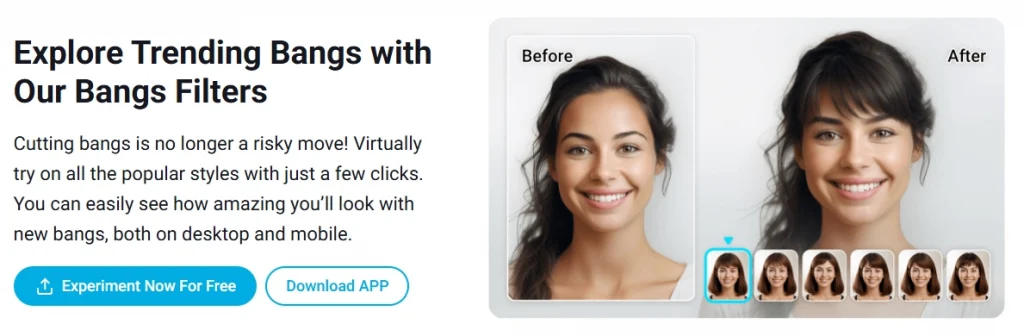
Here are the steps to see “what would I look like with bangs”:
Step 1. Visit the YouCam online bangs simulator in your browser.
Step 2. Click “Try,” then upload your selfie.
Step 3. Choose the types of bangs hair from the list. It will apply the different bang styles to your photo.
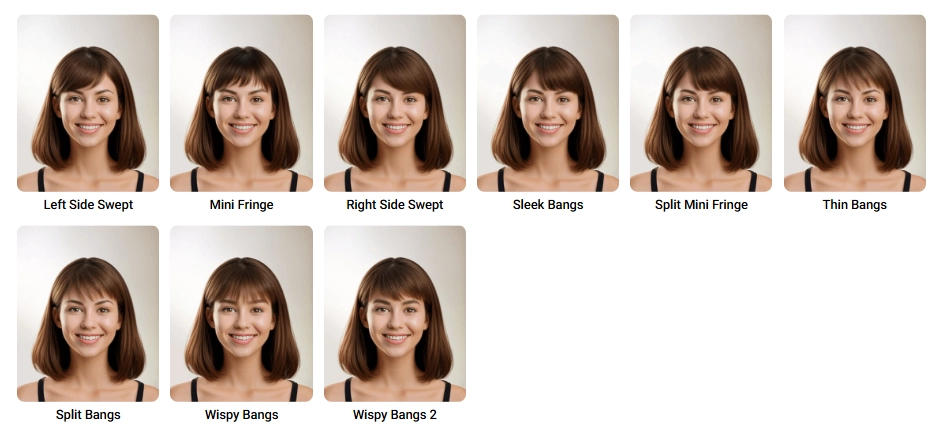
Step 4. You can try different bangs to find the one that suits you best.
Step 5. Once you’re satisfied, save the image or share your new look on social media.
What Bangs Suit You? Tips for Different Face Shapes
The right bangs can highlight your best features and even make you look younger. However, not all bang hairstyles are suitable for all face shapes. Here are some suggestions for you to refer to.
| Face Shape | Recommended Bangs Style |
| Round | Long side-swept, curtain bangs |
| Long | Blunt, eyebrow-length bangs |
| Square | Wispy, feathered bangs |
| Oval | Almost all styles—blunt, curtain, choppy |
| Heart | Side-swept, layered bangs |
| Diamond | Curtain bangs, soft wispy fringe |
FAQs on What Would I Look Like with Bangs
Still have questions before you try on bangs online? Here are a few quick answers that might help:
What Face Shapes Should Avoid Bangs?
No face shape has to avoid bangs, but some styles suit specific shapes better. For example, curtain or side bangs tend to be more flattering on round or long faces than blunt bangs.
Will an AI bang filter give me a realistic look?
Yes. AI-powered simulators like AI Ease utilize facial recognition to place bangs naturally, providing a lifelike preview before you commit.
Can I use a bangs simulator on short hair?
Yes! As long as your forehead is visible in the photo, you can try bangs for any hair length. Including short hair with fringe and long hair with bangs
Conclusion
Trying bangs doesn’t have to mean a trip to the salon or regretting a bad haircut. To answer the question of “how will I look with bangs?”, you can use a bangs simulator like AI Ease. With this bangs app, you can explore different styles risk-free and find the perfect fringe for your face. Whether you’re into wispy, curtain, or blunt bangs, it only takes a few clicks to see what works. Try bangs online and make your next hair decision with confidence.