How to Add a Picture to a Picture: Easy Guide for Creative Layering
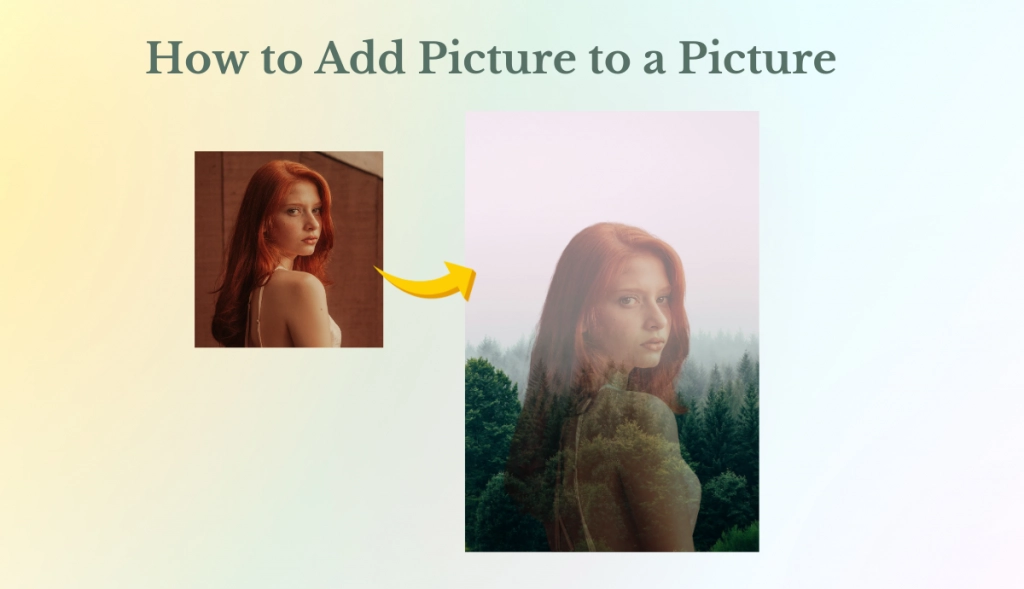
In today’s world, visuals play a crucial role in communication. Whether you are creating a social media post, preparing marketing material, or working on a personal project, adding one picture to another can take your design to the next level and give it an extra dimension.
By combining pictures, you can add depth and storytelling to your designs. This technique allows you to blend elements creatively, make a visual connection, and captivate your audience with something unique.
However, the process is only sometimes straightforward, especially if you are new to editing. No worries; this guide will walk you through the process of adding a picture to a picture. With the right approach and tools, it can be effortless and effective.
Why Add a Picture to a Picture
Adding one picture to a picture is commonly known as picture overlaying. It is a powerful technique in digital design.
But what makes this technique more popular? Here are some reasons why people use it to enhance their visuals:
- Telling a story: Sometimes, more than a single picture is needed to fully capture the emotion or message you aim for. Layering pictures can add detail, allowing you to tell a richer and engaging story.
- Boosting visual appeal: Adding a picture to a picture can create visual depth, drawing the viewer to multiple points of interest. This is the best technique for adding complexity and transforming an ordinary picture into something captivating.
- Simplifying Branding: Adding brand logos or product pictures over the background is a fantastic branding strategy. This approach is practical for social media ads, product promotions, and video thumbnails.
- Saving resources and time: This technique allows you to combine existing photos to create fresh ones instead of shooting new ones for every design. This is especially effective for content creators who need to make high-quality content affordably.
Tools for Adding Picture to a Picture
Many tools are available if you are looking at how to add a picture to a picture.
Online tools: Many websites, like Canva and Fotor, offer basic tools for layering pictures, which are perfect for quick and easy tasks.
Mobile Apps: Different editing applications, such as PicsArt and Snapseed, are available to provide handy options for adding pictures to a picture.
Software: Adobe Photoshop is an advanced option with total control but a steeper learning curve.
However, while these tools are helpful, some are very simple, and some require technical expertise to use. Choosing the right tool that balances ease of use with powerful features and returns high-quality output is crucial.
Best Tool for Adding Picture to a Picture: AI Ease
Many people post pictures about themselves, and they have to edit their images to look more attractive. So, if you are looking for the best tool to add a picture to a picture, AI Ease is the perfect solution.
This tool is designed with simplicity and power, making it perfect for professionals and beginners. It offers high-quality results without the hassle of complex software. With our AI background remover, you can easily add pictures to a picture and create eye-catching designs for personal use, social media, or business presentations.
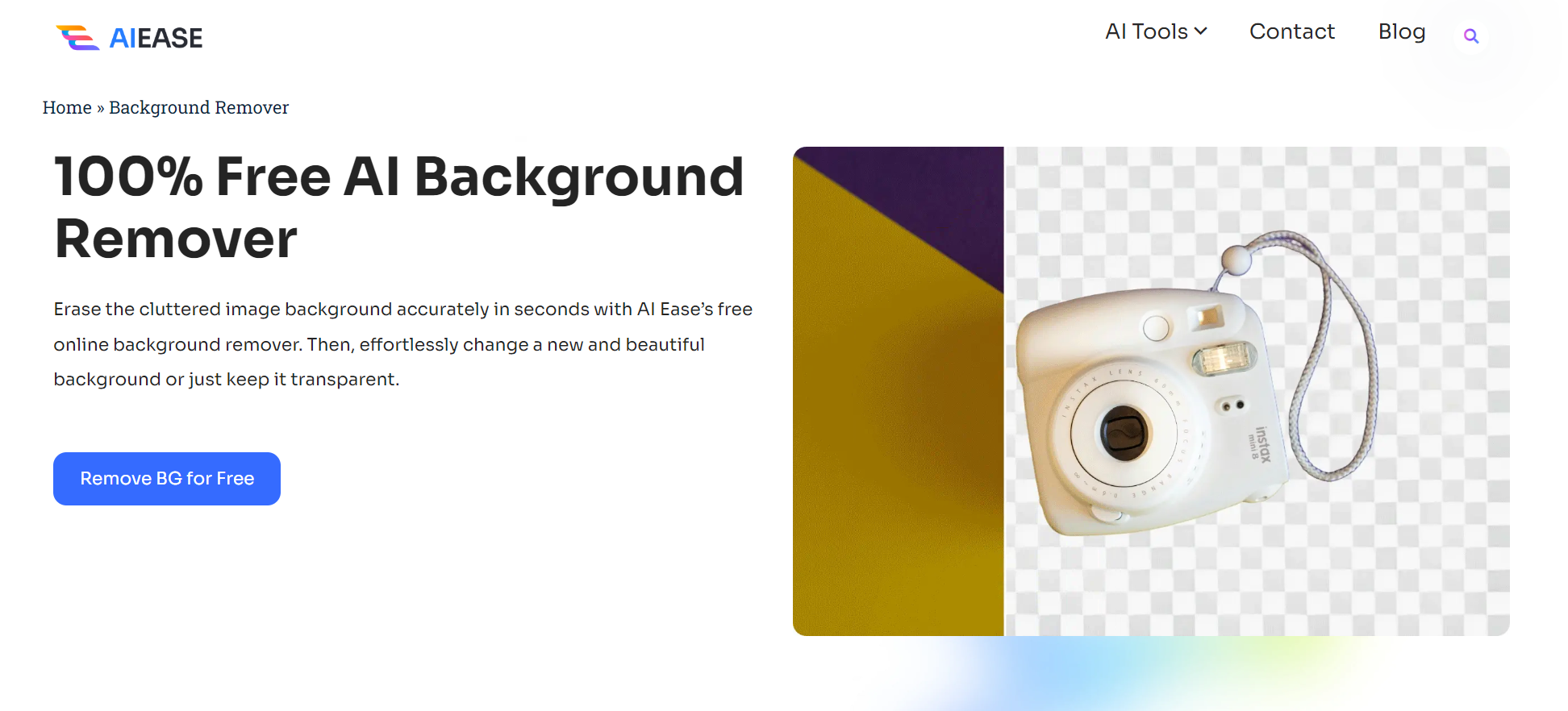
Unlike other complicated software, AI Ease has a user-friendly interface and does not require any technical skill to use it. This tool is perfect for designers and content creators who need overlaying pictures for their projects.
For anyone wanting to create impressive visuals without spending more time and effort, AI Ease is a game changer for him. With AI Ease, you can effortlessly add pictures to a picture in less time.
How to add a picture to a picture With AI Ease?
Adding a picture to a picture in AI Ease is super easy. Let’s dive in
Step 1: Visit AI Ease: Open your browser and visit the AI Ease website.
Step 2: Select Background Remover: The Free AI Tool tab will open, and Select Background Remover.
Step 3: Upload images: Click on “upload”, then select the photos.
Step 4: Adjust size, position, and rotation: After uploading the picture, adjust it to your requirements.
Step 5: Apply masking: Use the masking or eraser tool to refine pictures.
Step 6: Download your output: Click “Apply” to merge images and download the required output.
Key Features of an AI Ease’s Free AI Background Remover
AI Ease is packed with many features that make editing and layering pictures easy. With the rise of AI in editing, millions of people are using AI-powered tools to enhance their designs, benefiting from their speed and precision.
AI Ease is one of the best AI-powered tools with great features. It has a user-friendly interface and does not require any professional skill to use.
AI Ease is quick and fast. It provides a user-friendly experience, enabling quick edits while ensuring safety and reliability. Users can use AI Ease’s features without signing up, allowing for easy access and a trial of the tool’s functionality. It offers real-time image analysis, allowing instant adjustment while layering pictures, making editing faster and more efficient.
Final Thoughts
Learning how to add a picture to a picture is a skill that can enhance your photograph’s design, whether for personal or professional use. AI Ease is an awesome tool that makes the process not only accessible but also enjoyable.
The Background remover of AI Ease allows users to layer pictures smoothly, creating visually cohesive and captivating compositions.
AI Ease is a versatile solution for quick social media posts and more complex marketing visuals, catering to all expertise levels. With AI Ease, you don’t need to be a pro designer to add a picture to a picture. Try it, play around with different layouts, and get your photos as you want.